df
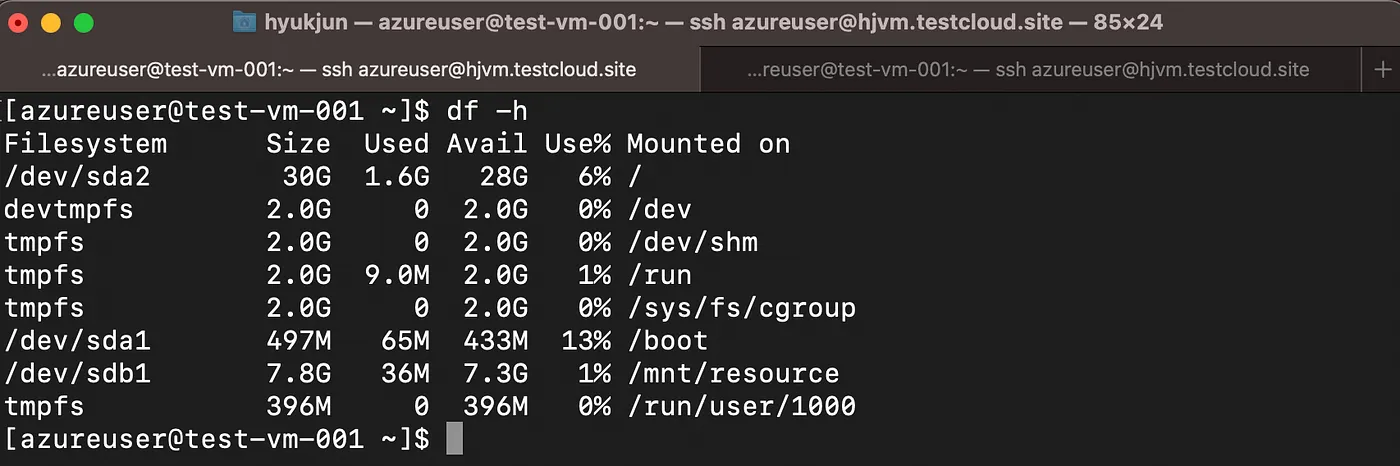
Disk usage monitoring is essential for server monitoring, and df can check the server's disk usage and inode space. df -h
You can check usage by directory using the du command du -sh /*
If you delete files to free up space but it doesn't free up as expected, you need to check the file handlers (users) with lsof and terminate the process using the file.
An inode is a structure that holds file or directory metadata, and can be seen as the number of files and directories. Inode information can be checked with the df -i command.
In summary, the df command can check the server's disk status, and because it queries based on file mount points, you can use du to query and find out which directories below are consuming a lot of space.
If you have removed a file or directory but the space hasn't been reflected, you should check the file handlers. A file handle is created when a process opens or references a file. You can check file handles using lsof, and if there's a file handle for a deleted file, killing that process will reflect the space improvement.
An inode is metadata for files and directories, and can be thought of as the number of files and directories.