Namespace, ResourceQuota, LimitRange
Namespace #
A Namespace is a technology in Kubernetes that divides a single cluster into multiple logical units.
It is used to isolate sets of Pods for deploying specific applications.
Multiple teams can share namespaces, and resource usage can be limited through quota settings.
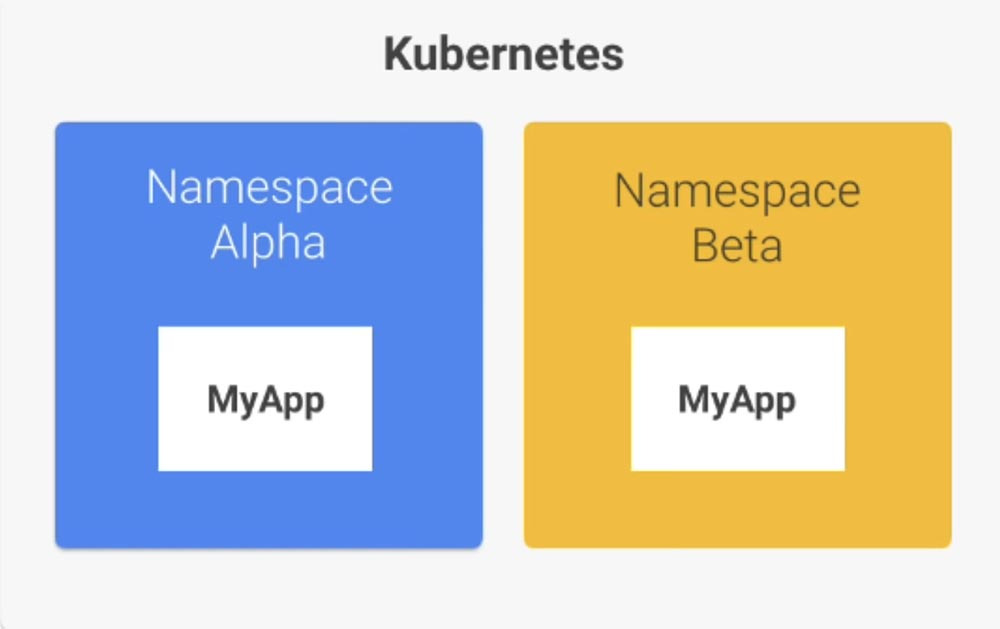
Kubernetes Namespaces are the largest unit of isolation after the cluster itself, making them the first unit to consider.
Namespaces are suitable for environments with multiple teams or a large number of users in a project. They are not suitable for projects with a small number of users, or only a few dozen.
When Kubernetes is first installed, several namespaces are created by default. You can check the currently created namespaces using the kubectl command.
$ kubectl get namespaces
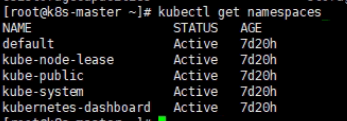
default: If no namespace is specified, Pods are stored in the default namespace.kube-system: This namespace is managed by the Kubernetes management system and contains management Pods for Kubernetes.kube-public: A namespace readable by all users in the cluster, typically used to manage information like cluster usage. This is because it's visible to everyone using the cluster.kube-node-lease: A namespace that manages Lease Objects (or workload resources) for each node, added as an alpha feature after 1.13.
There are two ways to create a namespace: using a YAML file and using a command.
yaml #
apiVersion: v1
kind: Namespace
metadata:
  name: <insert-namespace-name-here>
kubectl create -f ./my-namespace.yaml
cli #
kubectl create namespace <insert-namespace-name-here>
ResourceQuota #
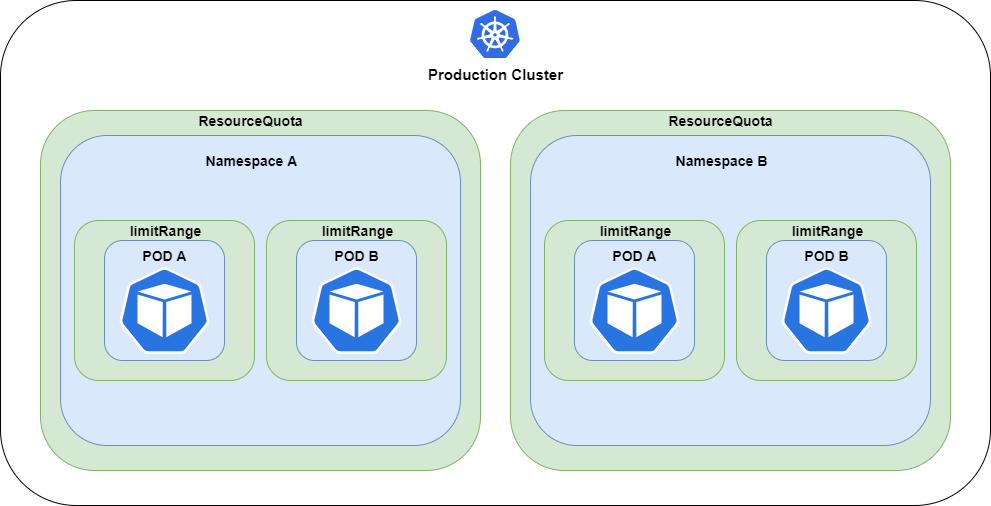
ResourceQuota limits the resources that can be used per namespace.
Namespaces share and use the cluster's resources.
Therefore, a situation can arise where one namespace monopolizes resources, preventing other namespaces from using them.
This problem is solved by limiting the maximum resources that each namespace can use.
apiVersion: v1
kind: ResourceQuota
metadata:
  name: rq-1
  namespace: nm-3
spec:
  hard:
    requests.memory: 1Gi
    limits.memory: 1Gi
ResourceQuota sums the resource requests of incoming Pods and already running Pods. If this sum exceeds the limit, the Pod creation fails; otherwise, the Pod is created.
When using ResourceQuota, Pods will not be created if
requestandlimitvalues are not specified.
LimitRange #
Containers run with unlimited computing resources in a Kubernetes cluster.
Using ResourceQuota, cluster administrators can control resource usage per namespace.
However, there's a problem where a single Pod within a namespace might monopolize resources within the allocated limits.
Therefore, LimitRange is a feature that sets resource upper limits per Pod within a namespace.
apiVersion: v1
kind: LimitRange
metadata:
  name: lr-1
spec:
  limits:
  - type: Container
    min:
      memory: 0.1Gi
    max:
      memory: 0.4Gi
    maxLimitRequestRatio:
      memory: 3
    defaultRequest:
      memory: 0.1Gi
    default:
      memory: 0.2Gi
It can be specified as above, and maxLimitRequestRatio is the ratio multiplier between request and limit.
If request and limit are not specified, default values are assigned.
A point to note here is that if multiple LimitRanges are used, unpredictable behavior can occur (e.g., a default value might be set to a value specified in another LimitRange, exceeding the
maxset in a separate LimitRange), so they should be used with caution.
[[Kubernetes Cluster]] [[Control Plane]] [[Pod]] [[Service]]