Desired State
The core of Kubernetes can be said to be the Desired State.
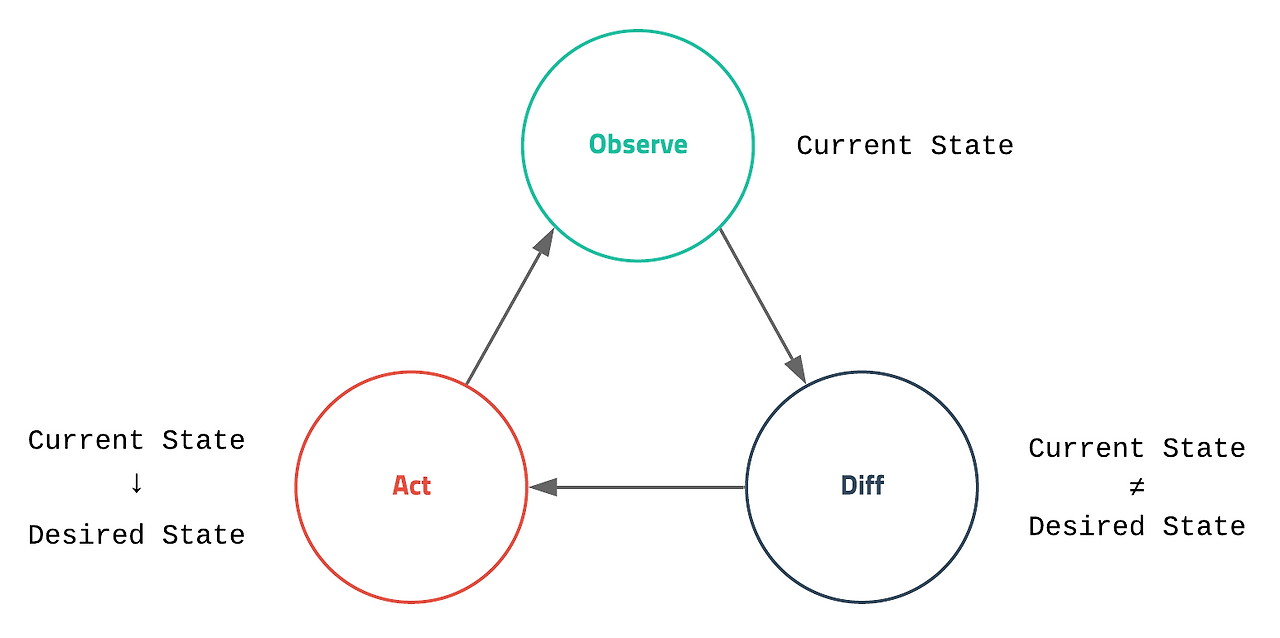
Kubernetes continuously checks the desired state and automatically takes action if there's an issue. So, what exactly is the desired state?
The desired state refers to the environment an administrator wants. More specifically, it describes how many web servers should be running, which port they should serve on, and so forth.
Kubernetes performs complex and diverse tasks, but upon closer inspection, it has a simple logic: it monitors the current state and internally simplifies various operations to maintain the desired state configured by the administrator.
Setting the Desired State #
In Kubernetes, you can explicitly set the desired state of an application using YAML or JSON files.
apiVersion: apps/v1
kind: Deployment
metadata:
    name: nginx-deployment
spec:
    selector:
        matchLables:
            app: nginx
    replicas: 2
    template:
        metadata:
            lables:
                app: nginx
        spec:
            containers:
            - name: nginx
            image: nginx:1.14.2
            ports:
            - containerPort: 80
Once written, Kubernetes manages the container's lifecycle according to the specifications defined in the file.
Using Kubernetes allows you to manage the configuration, lifecycle, and scaling of container-based applications and services as a system.
What can be configured? #
Kubernetes allows you to configure various elements.
When deploying a Pod, Kubernetes allows you to optionally specify the amount of each resource required by the container.
Generally, you can limit CPU, memory (RAM), and various other things.
apiVersion: v1
kind: Pod
metadata:
    name: frontend
spec:
    containers:
    - name: app
      image: images.my-company.example/app:v4
      resources:
        requests:
            memory: "64Mi"
            cpu: "250m"
        limits:
            memory: "128Mi"
            cpu: "500m"
    - name: log-aggregator
      image: image.mycompany.example/log-aggregator:v6
      resources:
        requests:
            memory: "64Mi"
            cpu: "250m"
        limits:
            memory: "128Mi"
            cpu: "500m"
If you specify resource limits for a container in a YAML file as shown above, Kubernetes applies those limits to prevent the container from using more resources than configured. Furthermore, you can also set the minimum requested amount for those system resources.