[Terraform] state, remote_state, backend
Terraform stores the results of its deployments as state.
State significantly impacts Terraform's execution operations (creation, modification, deletion).
For example, if state does not exist, Terraform proceeds with resource creation.
If state exists, it compares and updates the state, which is called terraform refresh.
State Management #
State is stored in JSON format. Terraform saves its state in a file named tfstate.
If you run terraform apply, you can see that a terraform.tfstate file is created.
For example, when a VPC is created, you can see a file like this:
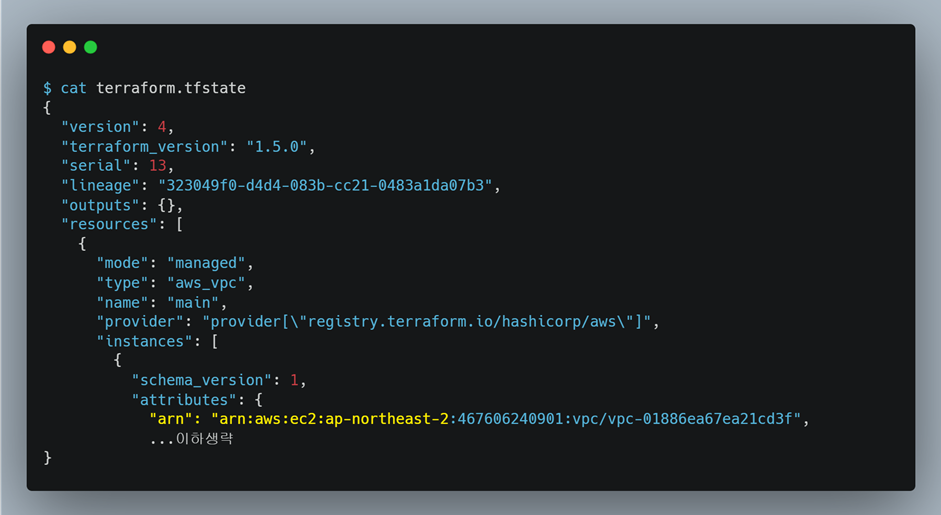
You can see that state is created in the tfstate file for each resource managed by Terraform.
Each resource is distinguished by its name (block label).
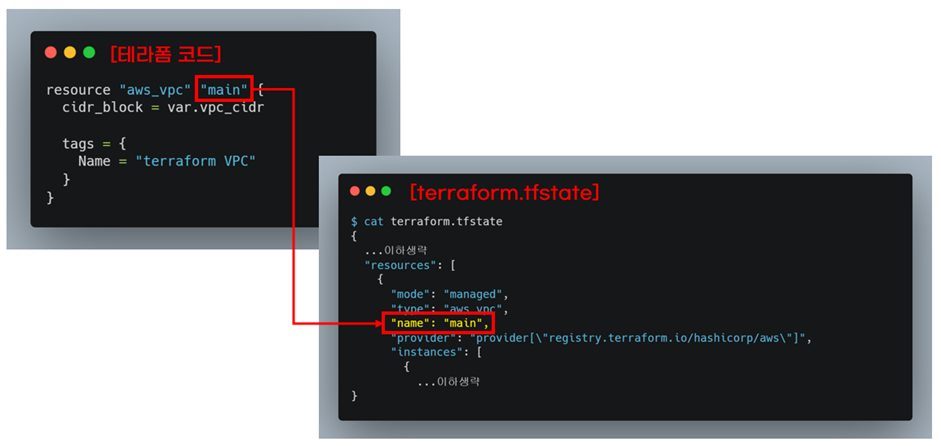
These files can be checked using the terraform state list/show commands.
You can view the list using list.
terraform state list
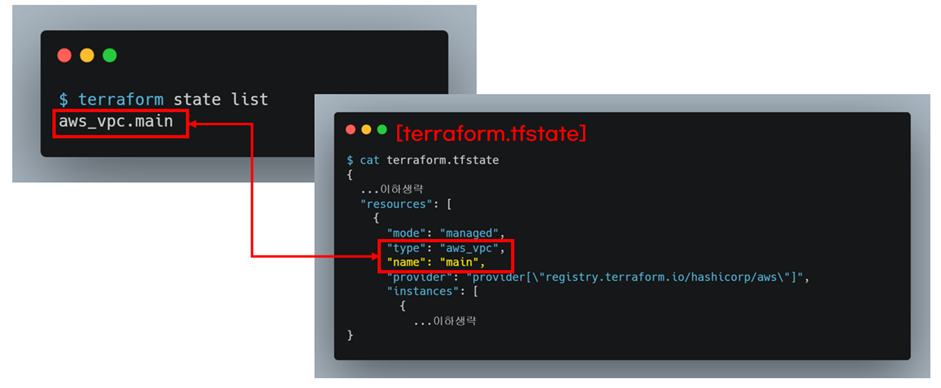
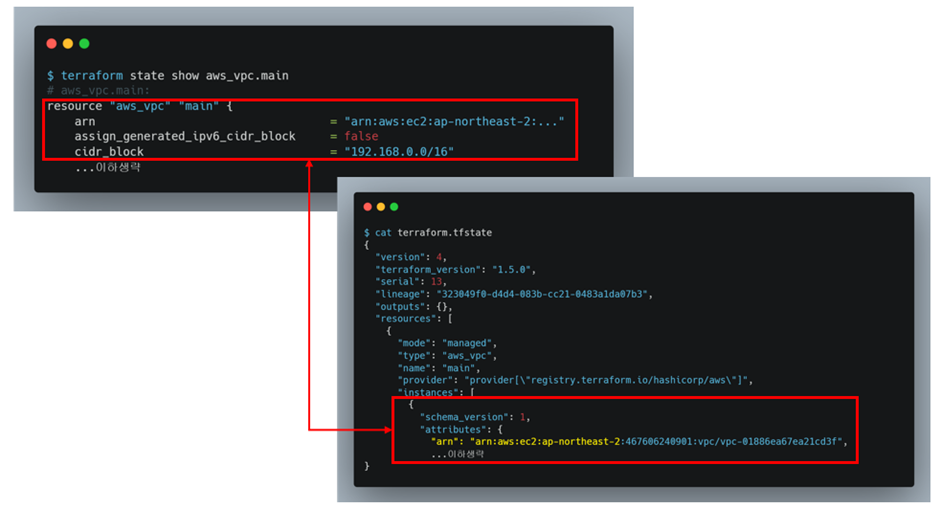
The value of the state can be checked using show. It displays the same value as the JSON field.
terraform state show aws_vpc.main
Version Control #
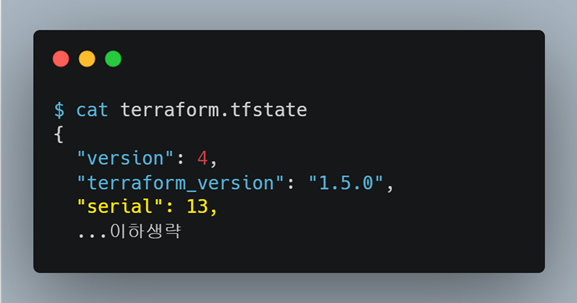
State manages its version through a field called serial.
Impact #
The impact of state influences whether resources are created, modified, or deleted.
The activity of comparing or updating state before Terraform execution is called terraform refresh.
Here's an example of how Terraform's behavior changes based on its state.
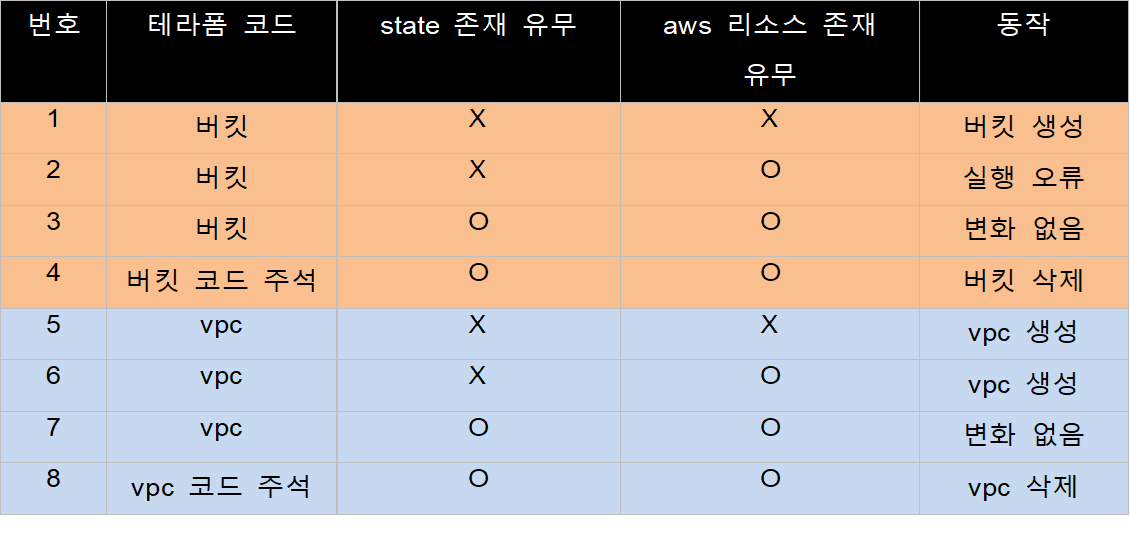
For an S3 bucket, which must be unique, if the state does not exist but the resource does, creation is impossible, leading to an error. However, for a VPC, duplicate resources can exist, so it will be created. (Of course, the state will only contain information for the single VPC resource that was created.)
terraform import #
You can also link state to existing resources using terraform import.
To use this, the target resource and Terraform code must already exist.
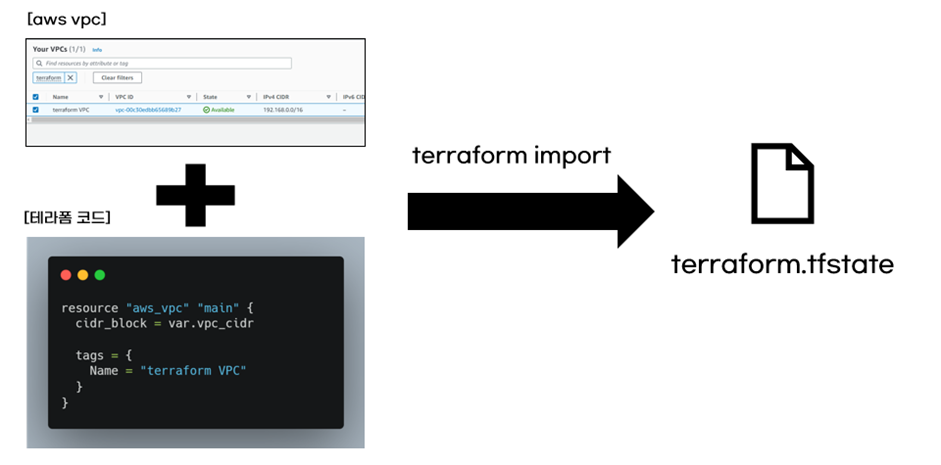
It's typically used when you want to manage resources not created by Terraform with Terraform.
The usage is as follows:
terraform import block_type.block_name {대상 리소스 식별값}
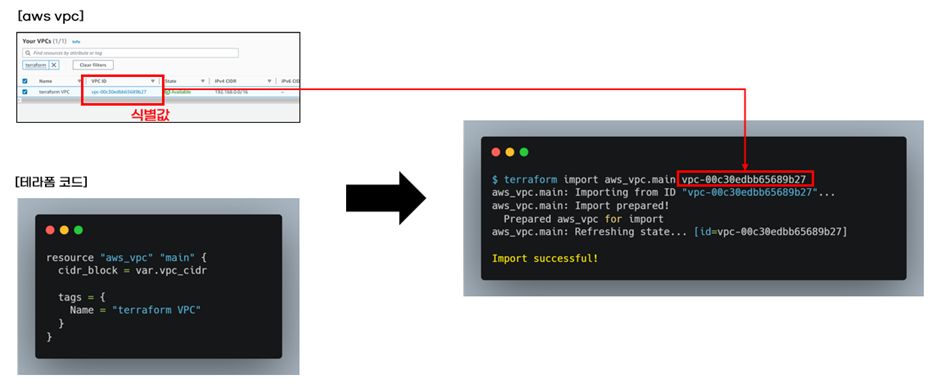
backend #
The location where Terraform's state is stored is called the backend.
By default, Terraform stores state files locally. Storing them remotely, rather than locally, is called remote state.
Remote state is essential when collaborating with multiple people, and the results vary depending on the state.
To configure Terraform's remote state, you use a bucket like S3 for versioning.
resource "aws_s3_bucket" "main" {
  bucket = var.bucket_name

  tags = {
    Name = "terraform test"
  }
}

resource "aws_s3_bucket_versioning" "main" {
  bucket = aws_s3_bucket.main.id

  versioning_configuration {
    status = "Enabled"
  }
}
As shown above, a versioning-enabled S3 bucket is used.
If you then apply the changes,
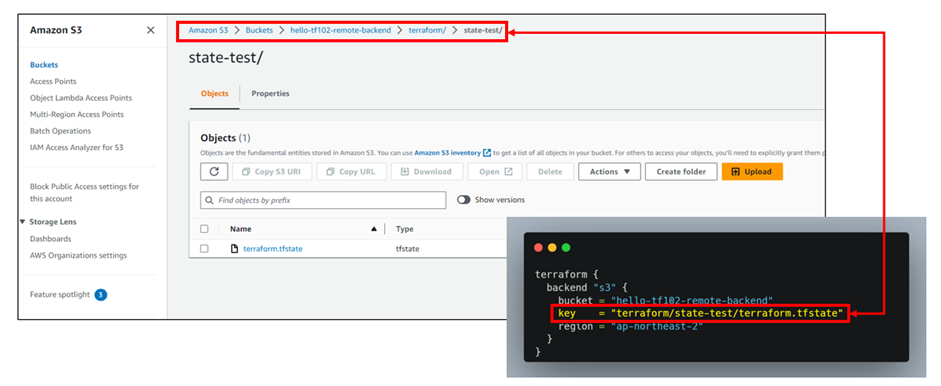
The state will then be stored in the S3 bucket like this.
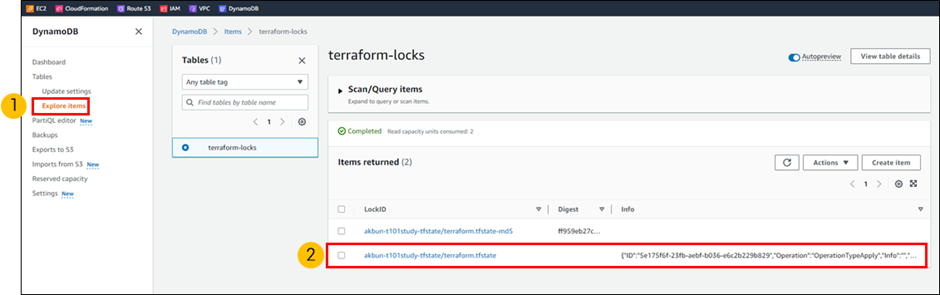
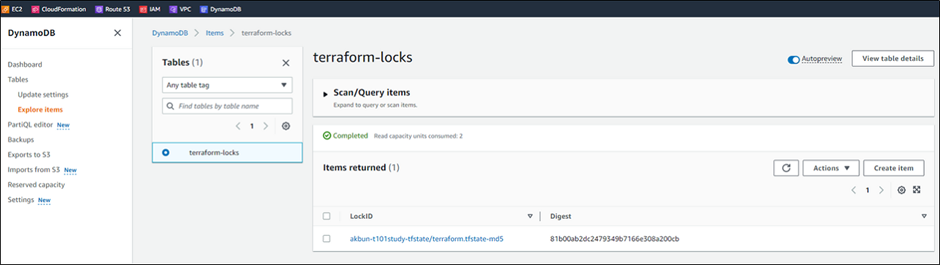
Additionally, to modify Terraform's state using a locking mechanism, you can implement a lock mechanism to acquire a lock and ensure sequential processing. S3 does not support locking directly; this is usually resolved using DynamoDB.
resource "aws_dynamodb_table" "terraform_state_lock" {
  name           = "terraform-lock" # table이름
  hash_key       = "LockID" # key 이름
  billing_mode   = "PAY_PER_REQUEST"

  attribute {
    name = "LockID"
    type = "S" # key 타입
  }
}
Configure it as above and apply Terraform.
Since the backend configuration has changed, you need to run terraform init.
terraform init -migrate-state
Now, before updating the remote state in S3, you must pass through the locking mechanism.
If you modify VPC or related resources, apply the changes, and simultaneously observe DynamoDB, you will see the locking field appear and then disappear.