Pod Communication Process
Pod Communication #
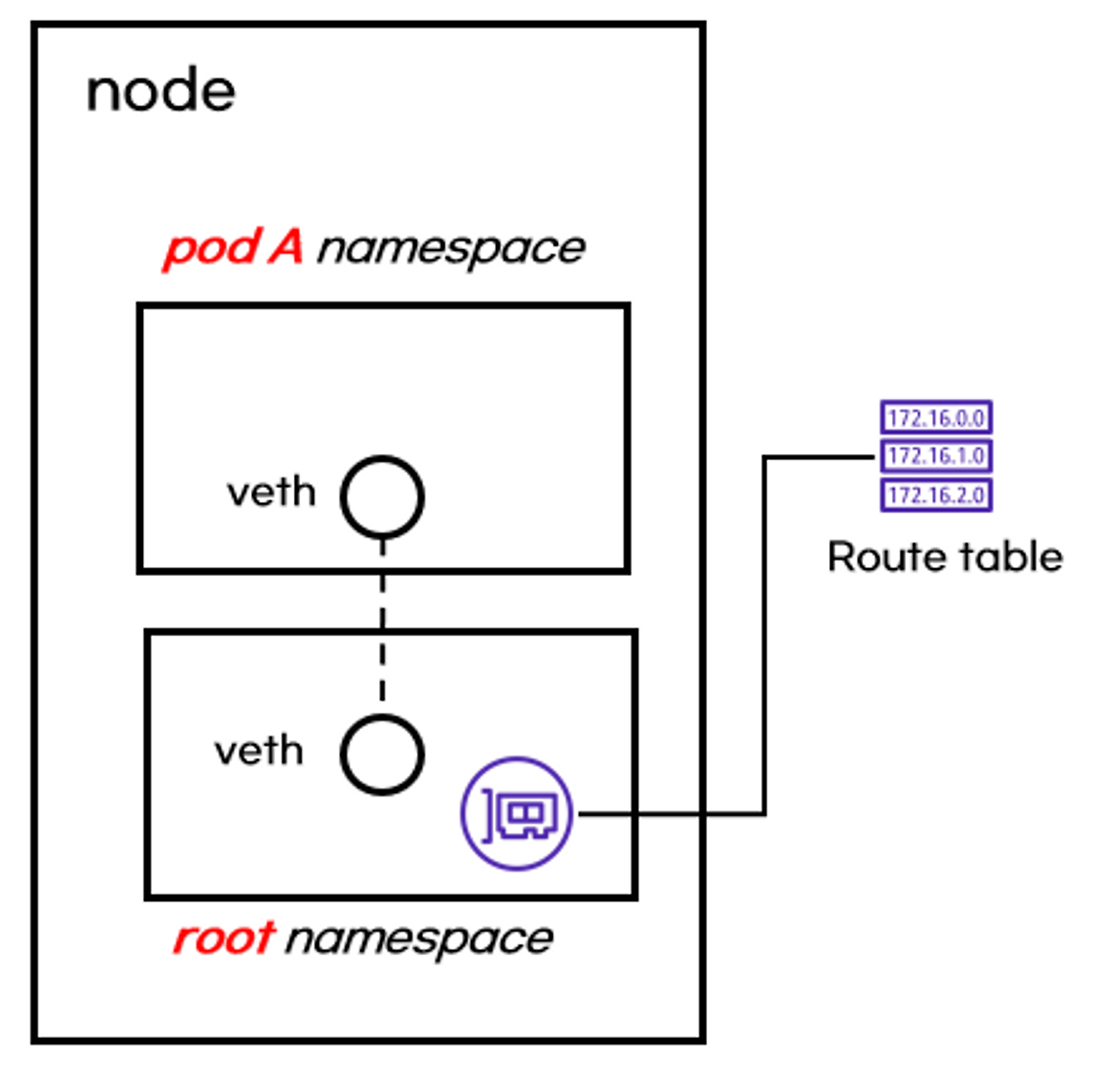
When a Pod is created, a network namespace is created.
A virtual interface (veth) is used to connect the Pod's network namespace with the root namespace.
Some Pods, like coreDNS, which use hostIP, utilize the root namespace.
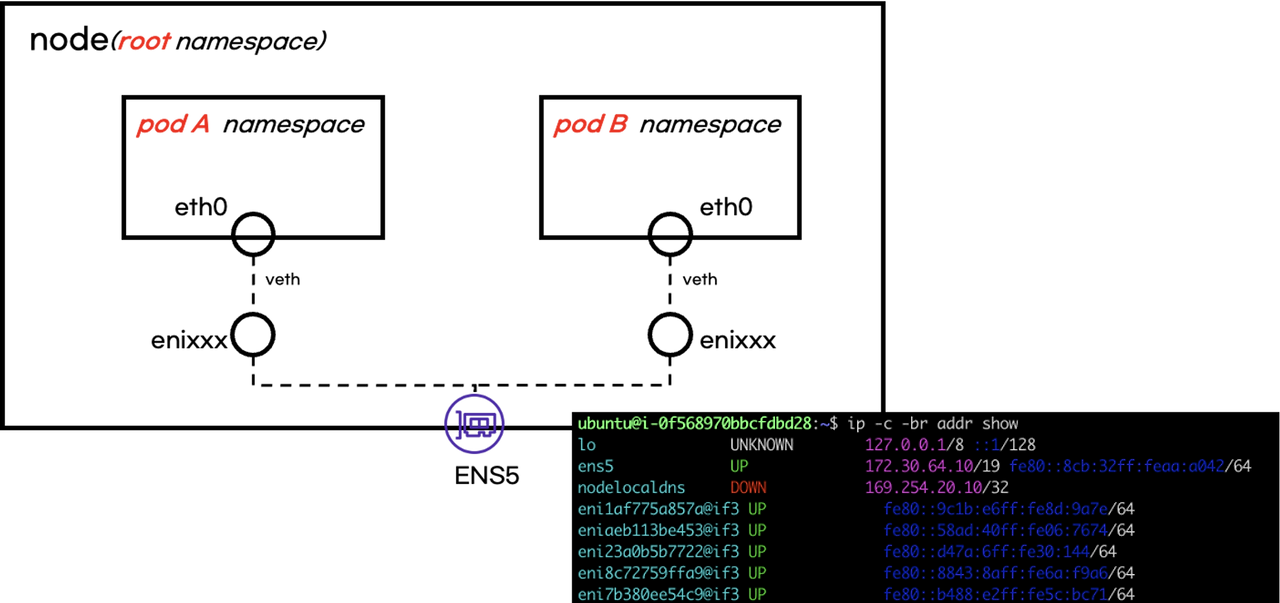
When you query network interfaces in the root namespace, you can see the virtual interface connected to the Pod's network interface.
# 인터페이스 목록 확인
ip -c -br addr show
Route Table #
Kubernetes network communication direction is influenced by the route table.
A Pod's default gateway exits through the virtual network interface in the root namespace.
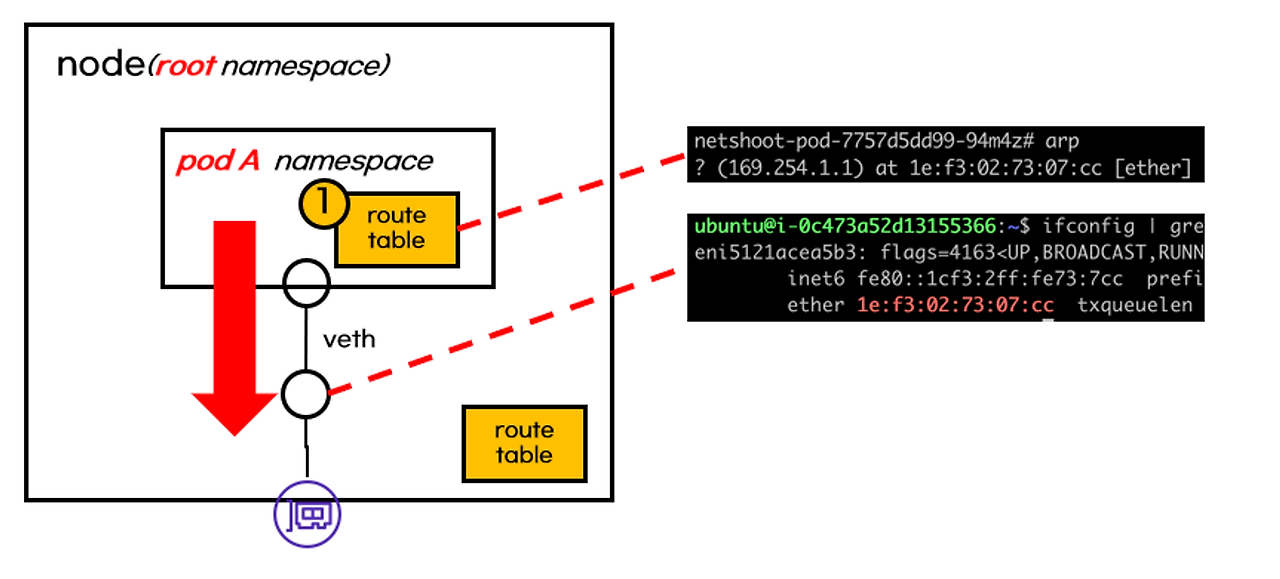
Traffic flowing into the root namespace is naturally affected by the root namespace's route table.
The route table determines whether traffic goes inside or outside the node.
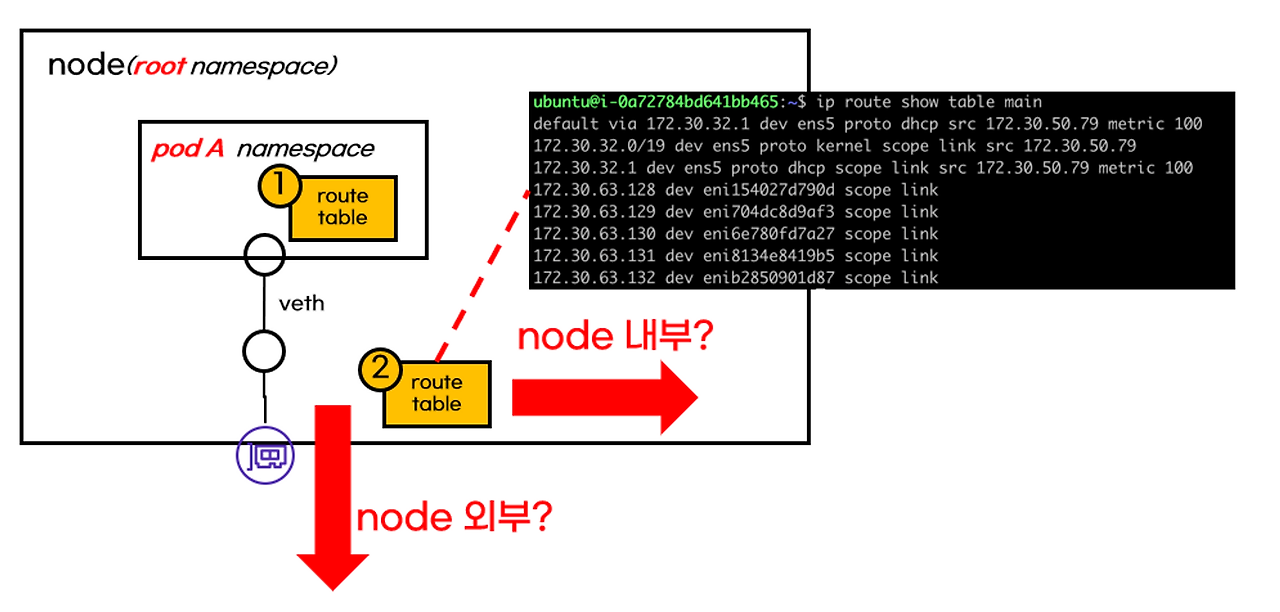
For these reasons, when a Pod is created, a virtual network interface and a route table are added.
Pod External Communication #
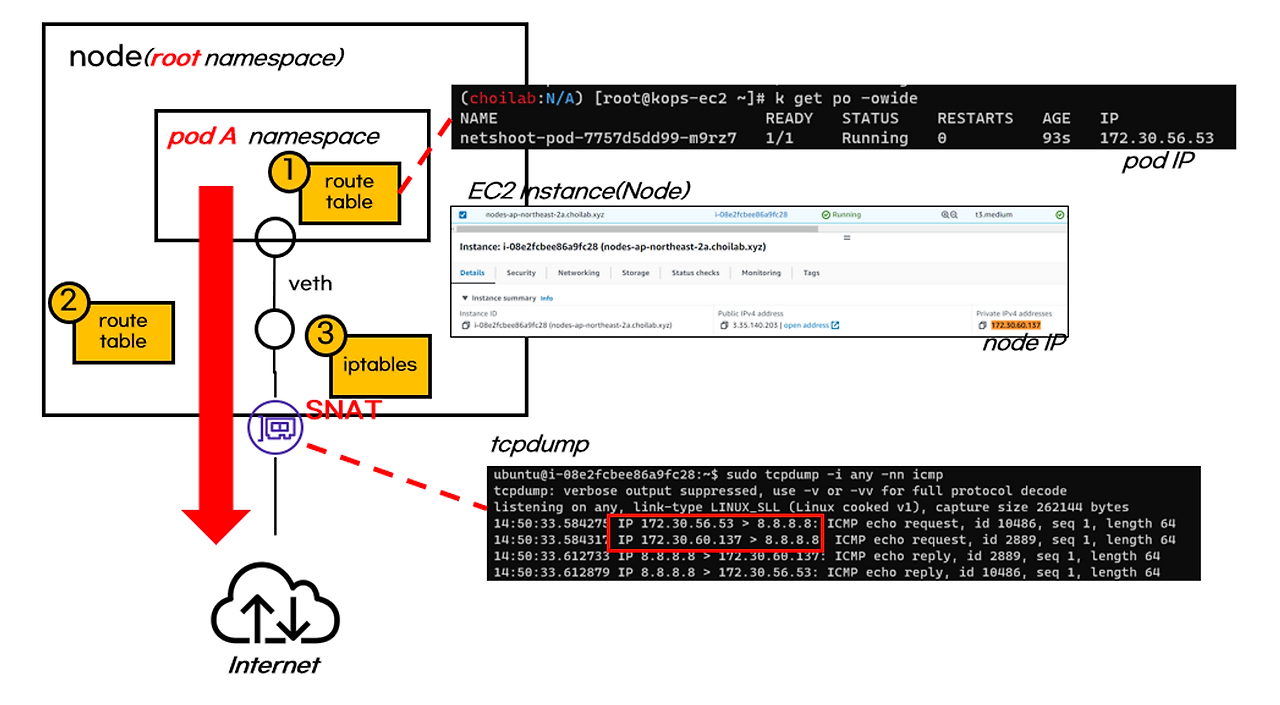
For a Pod to communicate externally, SNAT (Source Network Address Translation, where the source IP changes to the node's IP) occurs.
iptables performs SNAT.
Load Balancer Type Service #
The aws-load-balancer pod controls the creation, modification, and deletion of LoadBalancer type Services.
This resource uses the API server and AWS API to create an NLB (default) in AWS.
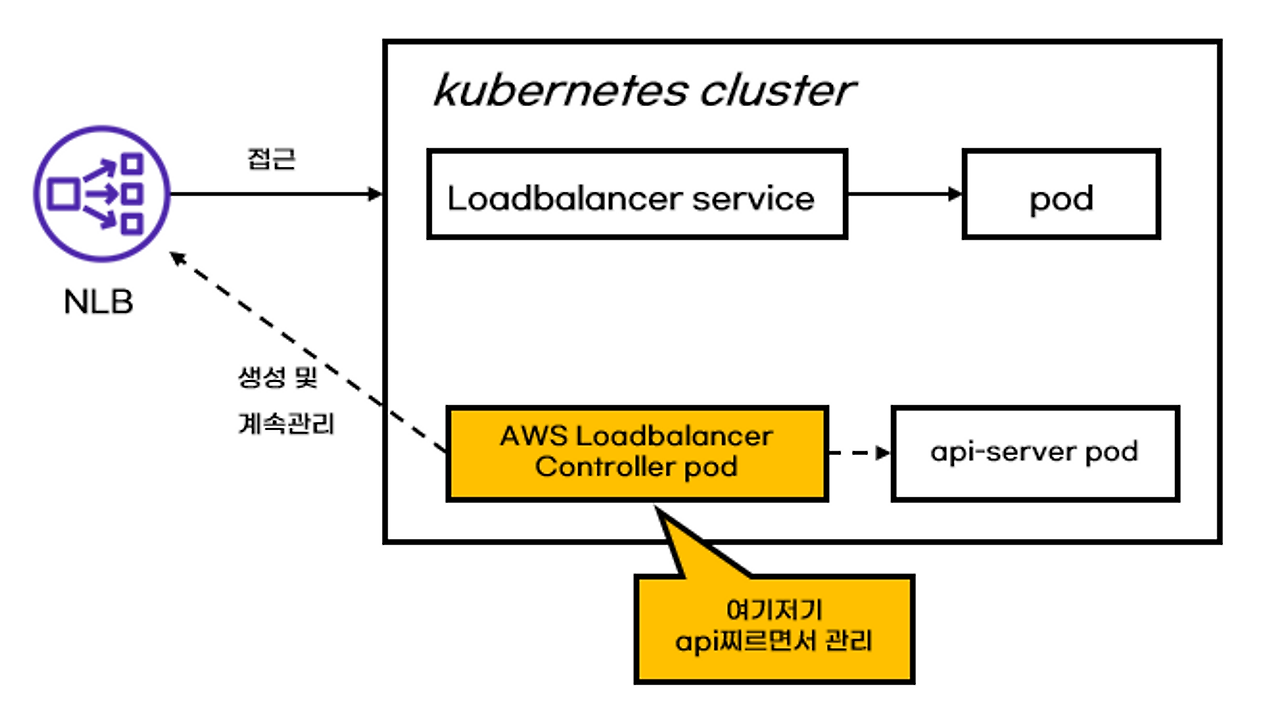
Since LoadBalancer type Services ultimately use AWS NLB, they follow NLB configurations.
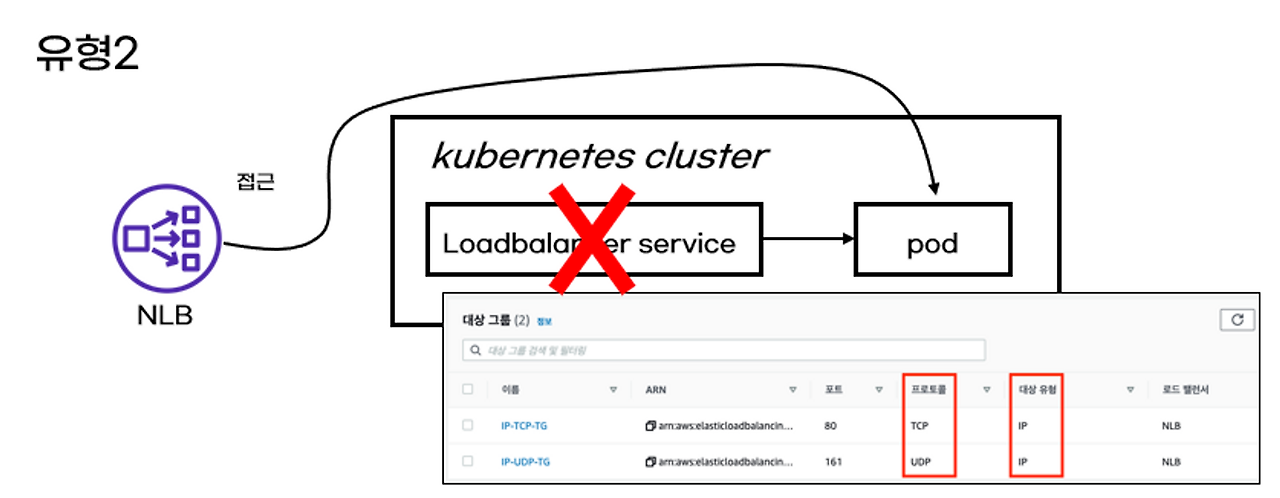
There are two ways an NLB can access a Pod.
- Direct access to the node (instance): Requests arriving at the NLB are forwarded to the node. Service traffic arriving at the node is controlled by iptables, which is configured by kube-proxy.
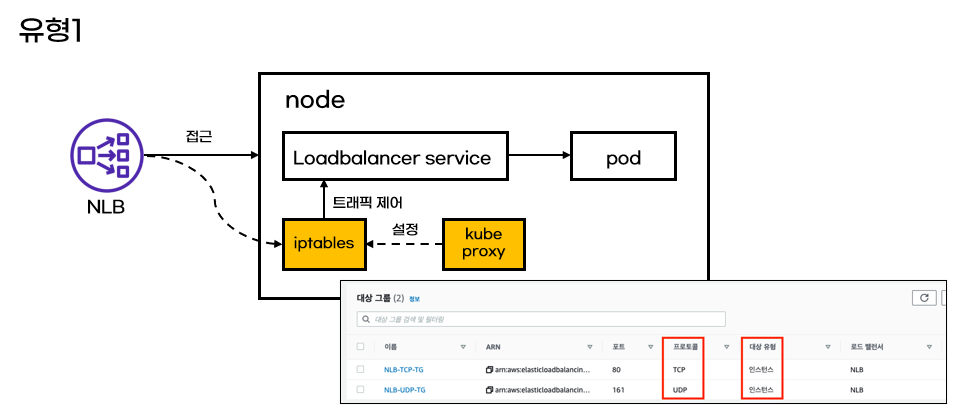
- Direct access via Pod IP: While type 1 involves many steps to access a Pod, type 2 is a method of directly accessing the Pod. Not going through the Service does not mean the Service is unnecessary; the NLB references the endpoints configured in the Service to directly access the Pod.
kubectl apply -f deploy.yaml

# deploy.yaml
apiVersion: apps/v1
kind: Deployment
metadata:
  name: deploy-echo
spec:
  replicas: 2
  selector:
    matchLabels:
      app: deploy-websrv
  template:
    metadata:
      labels:
        app: deploy-websrv
    spec:
      terminationGracePeriodSeconds: 0
      containers:
      - name: akos-websrv
        image: k8s.gcr.io/echoserver:1.5
        ports:
        - containerPort: 8080
---
apiVersion: v1
kind: Service
metadata:
  name: svc-nlb-ip-type
  annotations:
    service.beta.kubernetes.io/aws-load-balancer-nlb-target-type: ip
    service.beta.kubernetes.io/aws-load-balancer-scheme: internet-facing
    service.beta.kubernetes.io/aws-load-balancer-healthcheck-port: "8080"
    service.beta.kubernetes.io/aws-load-balancer-cross-zone-load-balancing-enabled: "true"
spec:
  ports:
    - port: 80
      targetPort: 8080
      protocol: TCP
  type: LoadBalancer
  loadBalancerClass: service.k8s.aws/nlb
  selector:
    app: deploy-websrv
As shown above, a LoadBalancer type Service and Deployment were created, and the NLB type was set to IP. The type can be configured via annotations.
EKS Pod Communication #
As explained above, Pod communication between different nodes is VPC communication.
EKS Pod IPs belong to the subnet CIDR. Ultimately, they have Real IPs.
By having a VPC real IP, Pods gain an advantage in communication between different nodes. This advantage is that they do not perform overlay communication between Pods thanks to the real IP.
Overlay Communication #
To understand overlay communication, I've prepared the following example.
Calico CNI is a representative CNI that performs overlay communication.
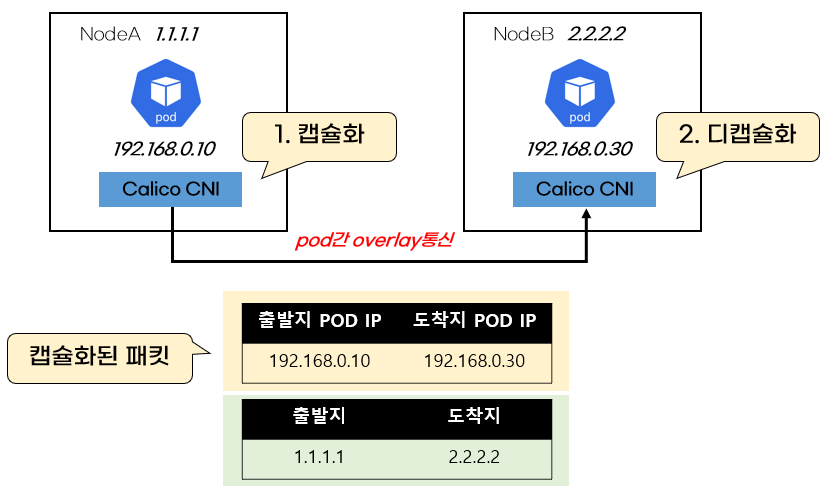
When using Calico CNI, even for Pod-to-Pod communication, the source and destination Node IPs are set.
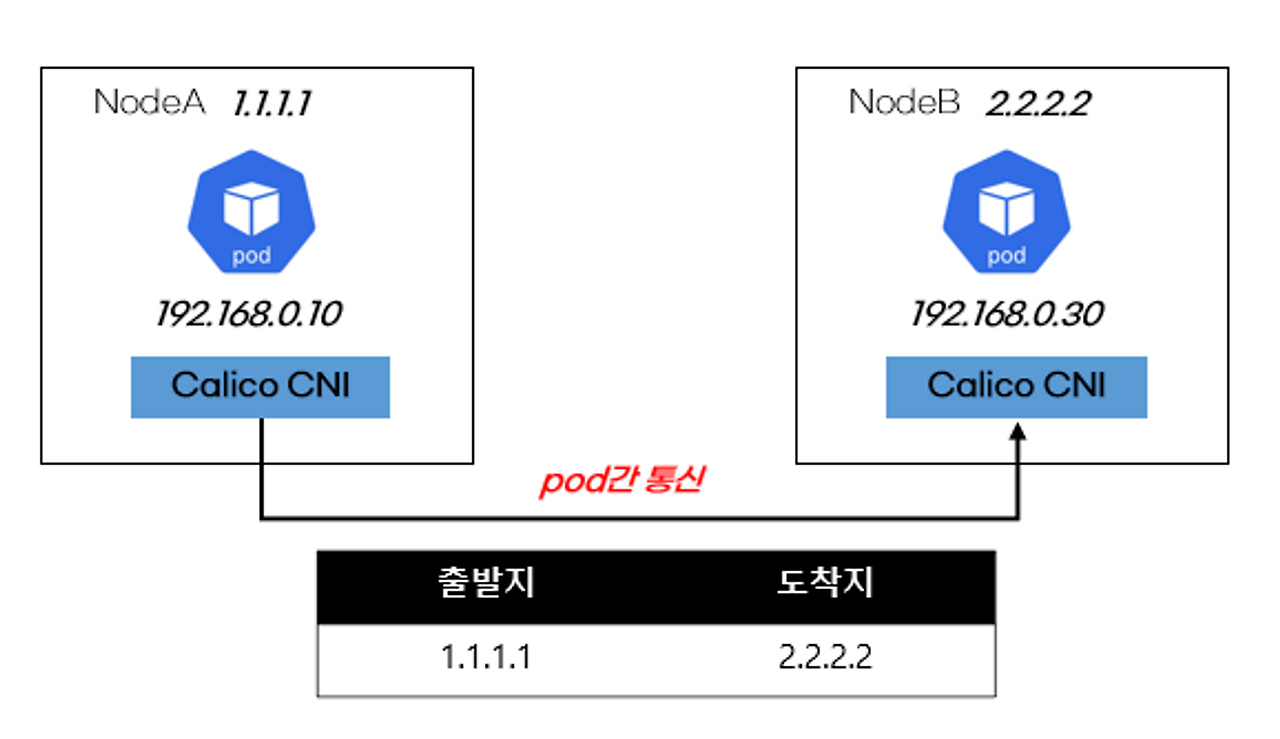
When Calico CNI is installed, Pod IPs are virtual IPs that exist only within the Kubernetes cluster.
Therefore, to deliver packets to Pods on other nodes, the source and destination IPs are encapsulated with the actual existing Node IPs.
The receiving node decapsulates the packet to obtain the Pod IP.
VPC CNI Communication #
Since VPC CNI uses real IPs from the VPC, it communicates directly without encapsulation. Because it's VPC communication, the AWS Route Table routes Pod-to-Pod communication.
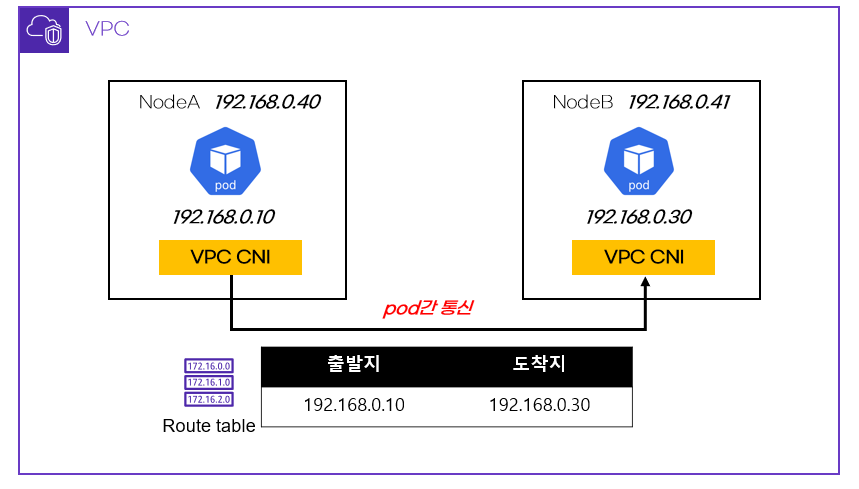
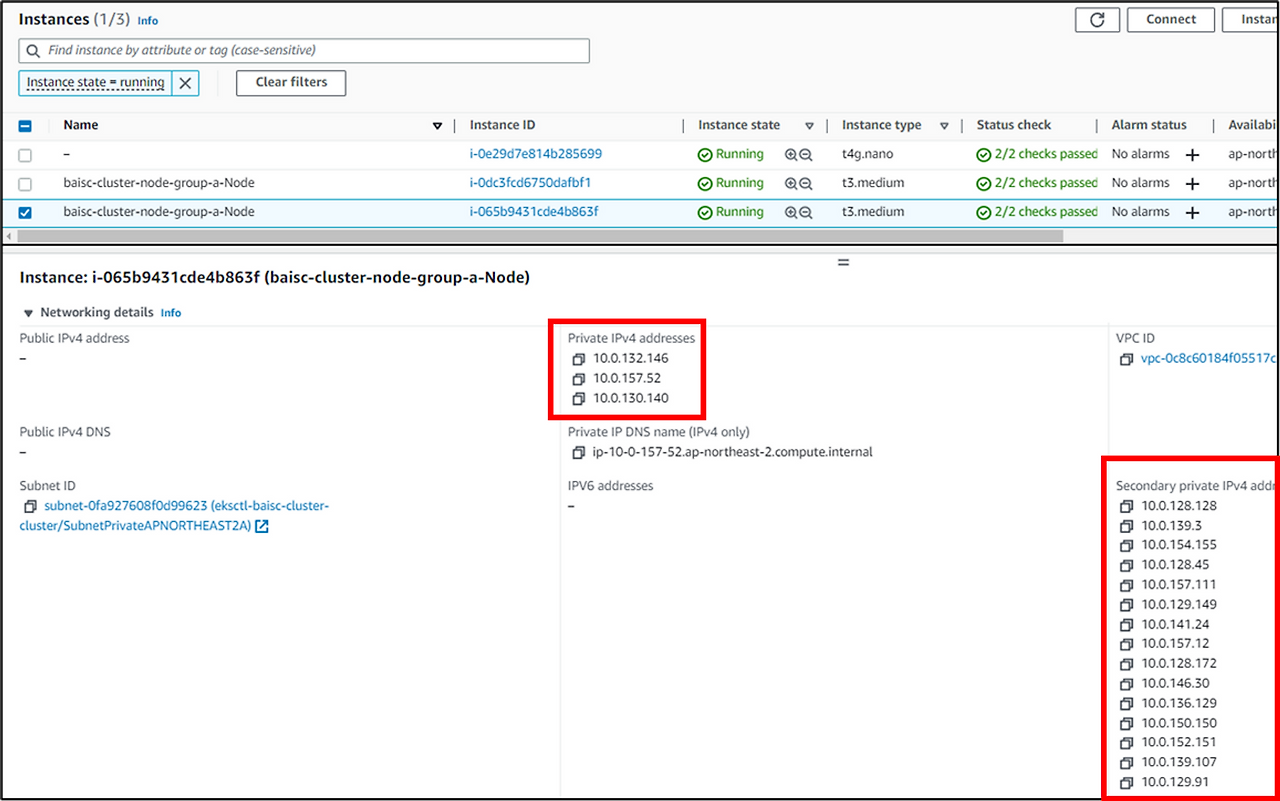
The assigned IPs can be checked in the AWS console.