Docker Network Structure
Network Structure #
Docker sequentially assigns IPs in the 172.17.0.X format.
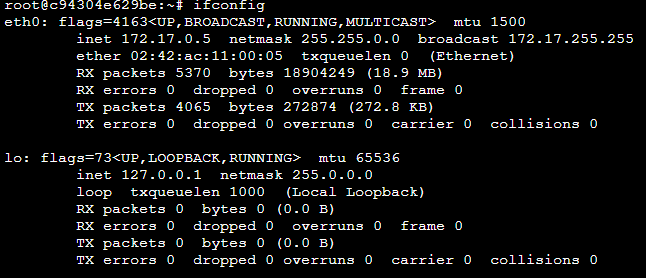
This IP is an internal IP, usable only within the Docker container, and needs to be connected externally.
So, how does this connection happen?
If you run the ifconfig command on the host, you'll find network interfaces starting with veth. This stands for 'virtual eth', and Docker automatically creates them when a container is launched.
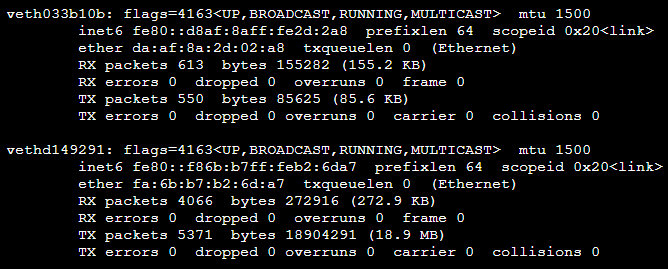
The structure is illustrated below.

The eth0 inside a Docker container is connected to vethXX.
These vethXX interfaces are then connected to a bridge named docker0, and finally, docker0 is connected to the host's eth0.
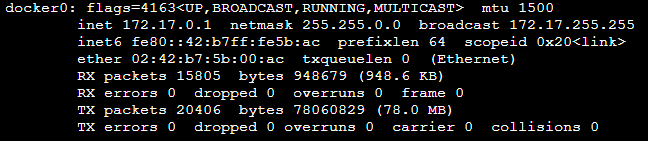
docker0 is bound to each veth interface and acts as a link to the host's eth0 interface.
Docker Network Features #
Besides bridge, network drivers include host, none, and container.
First, let's check what networks are available by default in Docker: docker network ls

1. bridge network #
Similar to the docker0 bridge, this refers to a structure where a new user-defined bridge is created and connected to each container.
Let's create a user-defined bridge.
$ docker network create --driver bridge mybridge

Next, let's create a container connected to mybridge.
$ docker run -it --name mynetwork_container --net mybridge ubuntu:18.04
After accessing the container, ifconfig showed 172.18.0.2 this time.
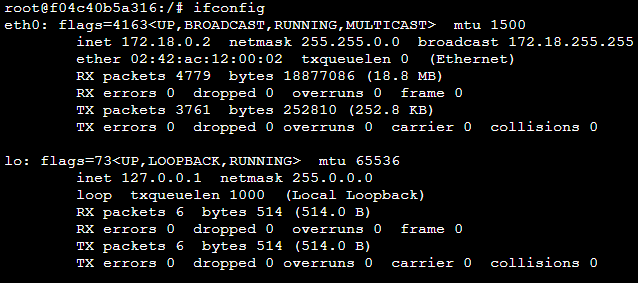
User-defined networks created this way can be flexibly attached to and detached from containers using docker network disconnect and connect.
$ docker network disconnect mybridge mynetwork_container
$ docker network connect mybridge mynetwork_container
Additionally, to configure the network's subnet, gateway, and IP allocation range, you can set options in docker network create.
2. host network #
The host network literally means that the container can use the host's network environment directly.
Let's create a container with the --net host option.
$ docker run -it --name network_host --net host ubuntu:18.04
Running ifconfig in the container will show the same results as on the host.
Therefore, services can be run directly without separate port forwarding.
3. none network #
Literally means not using any network. Disconnected from the outside world..
4. container network #
It allows sharing the network namespace environment of another container.
Shared attributes include internal IP and MAC address.
We will create two containers, configuring network_container_2 to share the network environment of network_container_1.
$ docker run -it -d --name network_container_1 ubuntu:18.04
$ docker run -it -d --name network_container_2 --net container:network_container_1 ubuntu:18.04
Bridge Network and --net alias #
Create three containers with --net-alias set to alicek106.
The containers are connected to the user-defined bridge named mybridge that we created earlier.
$ docker run -it -d --name network_alias_container1 --net mybridge \ --net-alias alicek106 ubuntu:18.04
$ docker run -it -d --name network_alias_container2 --net mybrdige \ --net alias alicek106 ubuntu:18.04
Each IP will be assigned sequentially starting from 172.18.0.X.
Let's create another container named network_alias_ping and initiate a ping from within it.
$ docker run -it --name network_alias_ping --net mybridge ubuntu:18.04
// apt-get install iputils-ping 설치 필요
$ ping -c 1 alicek106
$ ping -c 1 alicek106
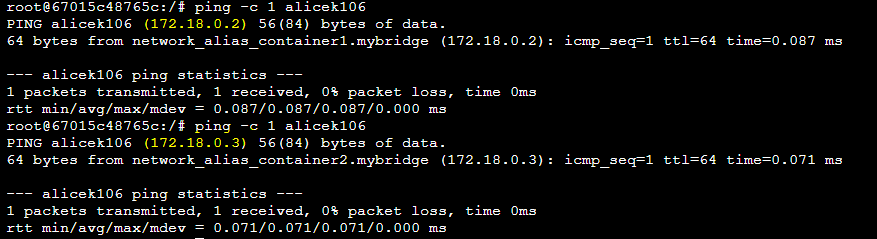
When initiated this way, you can see that ping requests are sent to the IPs of the two containers. The IP that changes each time is determined by a round-robin method, not a separate algorithm.
This result occurs because Docker's built-in DNS returns a list of IPs to the container that requested the host alicek106. (Meaning Docker's built-in DNS resolves it to an IP)
MacVLAN Network #
It virtualizes the host's network interface card to provide the same physical network environment to containers. (This means containers are assigned the IP of a real network device, not the default 172.17.X.X IP range typically allocated to Docker containers.)
Therefore, servers and containers using the same IP range as MacVLAN-enabled containers can communicate with each other. (However, communication with the host is generally not possible.)