Creating a Docker Image
After creating an Ubuntu container, I'll create a file to make changes to the existing image.
$ docker run -it --name commit_test ubuntu:18:04
$ echo test_first! >> first (컨테이너 내부에서 실행)
After exiting the container, I'll use the docker commit command to turn the container into an image.
$ docker commit -a "ckstn0777" -m "my first commit" commit_test commit_test:first
- The
-aoption stands for author and includes metadata indicating the image creator in the image. - The
-moption is the commit message. commit_testis the name of the container to commit.commit_test:firstis the name and tag of the image to be created. If no tag is entered, it defaults tolatest.
Check if it was created successfully with docker images.

Now you can create a container using the image you just made.
You can also confirm that the first file exists.
$ docker run -it --name commit_test2 commit_test:first

Understanding Image Structure #
$ docker inspect ubuntu:18:04

Next, let's look at the layers of commit_test:first.

The difference between the two is that commit_test:first has one more layer at the very bottom.
This is likely the part that records the changes.
Above, the Ubuntu image size was 64.2MB, and commit_test was also 64.2MB. So, would they occupy a total of 128.4MB?
When committing an image, only the changes made in the container are saved as a new layer, and a new image is created including that layer. Therefore, the actual size will be 64.2MB + the size of the first file.
Deleting Images #
Suppose commit_test2 container was created from commit_test:first, and you try to delete commit_test:first. Will it work correctly? (Note: the image deletion command is docker rmi.)

It says container 1a73..(=commit_test2) is in use. I'll force delete it and then delete the image as well.
$ docker rm -f commit_test2
$ docker rmi commit_test:first
By the way, I didn't mention that after creating a second file in commit_test2, I created an image named commit_test:second.

So, if the commit_test:first image was deleted, would its layer file disappear? No. commit_test:second would still have it.
I'll try deleting commit_test:second.

This time, the layers being deleted are shown.
Ultimately, what we can learn here is that an image's files are only truly deleted if its parent image no longer exists.
Extracting Images #
There are times when you need to save a Docker image as a single binary file, for example, to store it separately or move it.
However, since it's a single file rather than a layered structure, each image will occupy its full size.
Distributing Images #
In fact, image distribution is more important than image extraction.
There are two methods: using the Docker Hub image repository or using a private registry that you create yourself. I'll demonstrate how to use the Docker Hub repository.

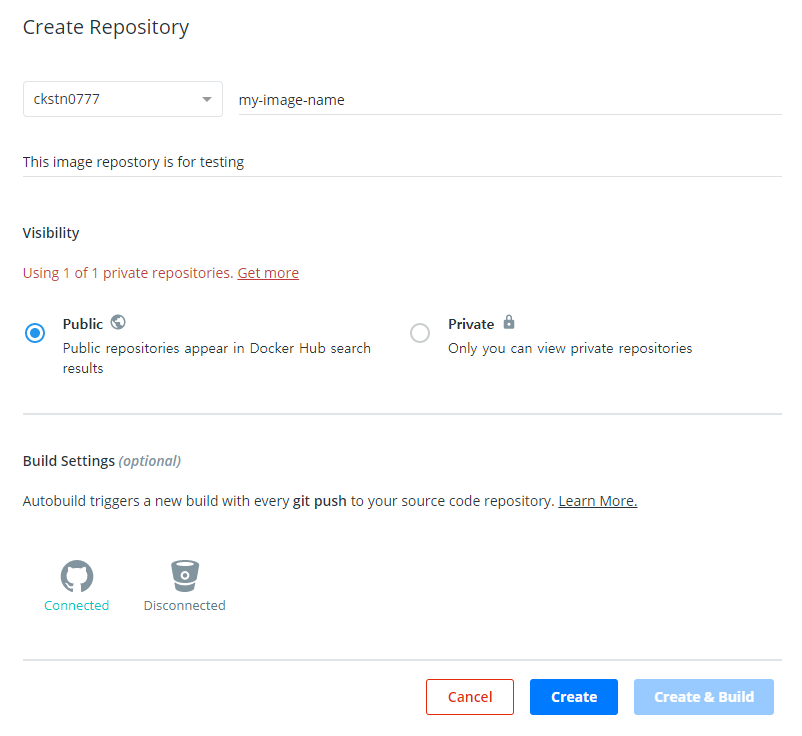
Creating an Image Repository #
It looks somewhat similar to GitHub. Click 'Create Repository'.
Creating an Image to Upload to the Repository #
$ docker commit commit_test my-image-name:0.0
First, create an image from the commit_test container.
However, this image cannot be uploaded to an image repository as is. When uploading to a specific repository, you must prefix it with the repository name (username).
$ docker tag my-image-name:0.0 사용자이름/my-image-name:0.0
This doesn't delete the existing image; it's like copying and pasting the image.

Logging In #
$ docker login
$ docker push ckstn0777/my-image-name:0.0

As you can see, only the changed layers are transferred to the image repository.

Pulling Images #
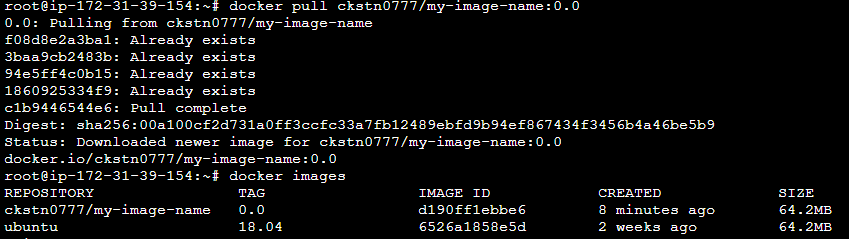
$ docker pull 사용자이름/my-image:0.0