Docker Engine LXC, libcontainer
Initial Docker Engine #
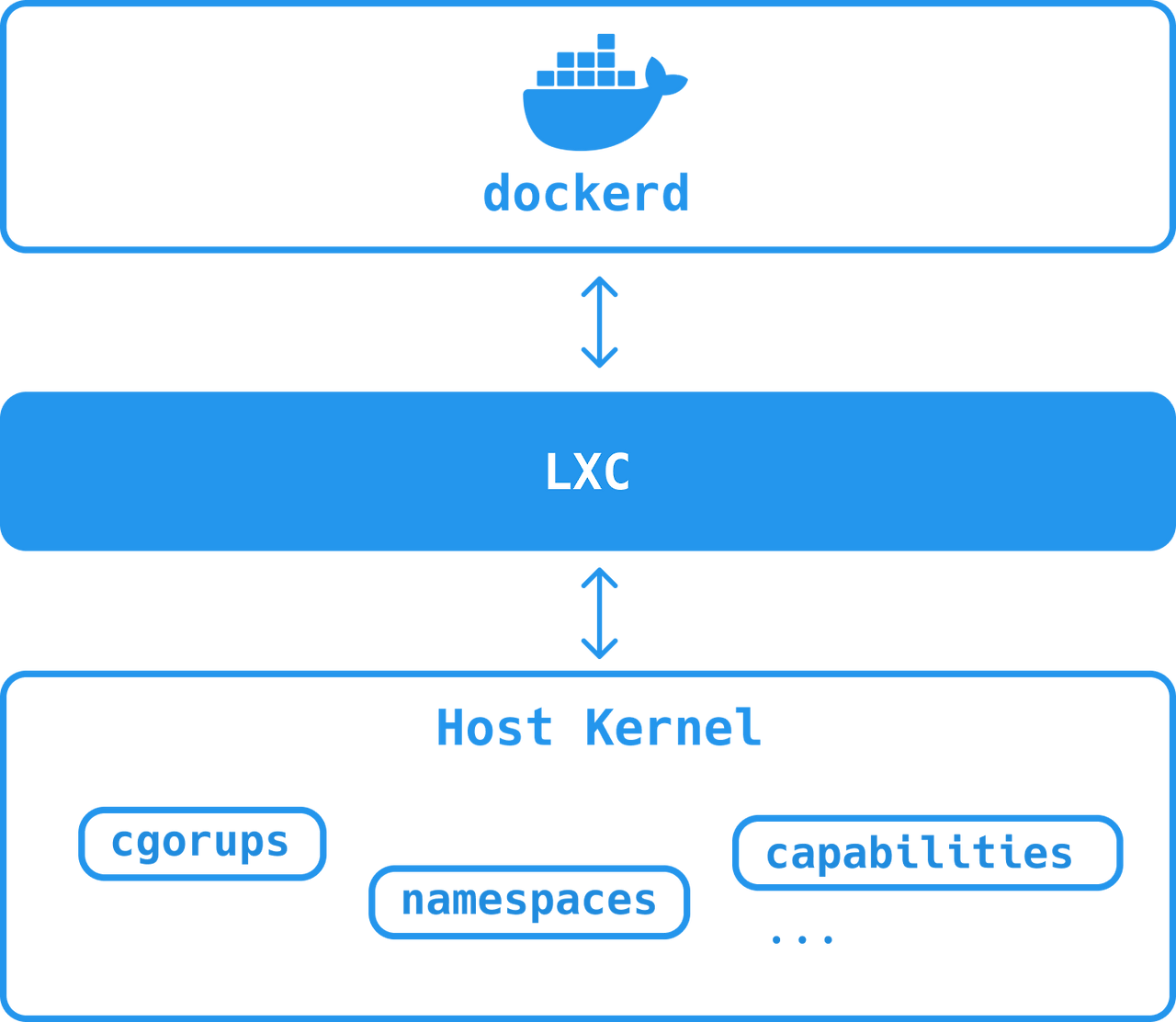
Initial Docker Engine architecture
Initially, Docker had two main components: Dockerd and LXC.
dockerd #
At that time, dockerd was a monolithic binary, unlike the current dockerd (not modularized).
This meant it contained a lot of code, including the daemon, client, API, runtime, and image builds.
LXC #
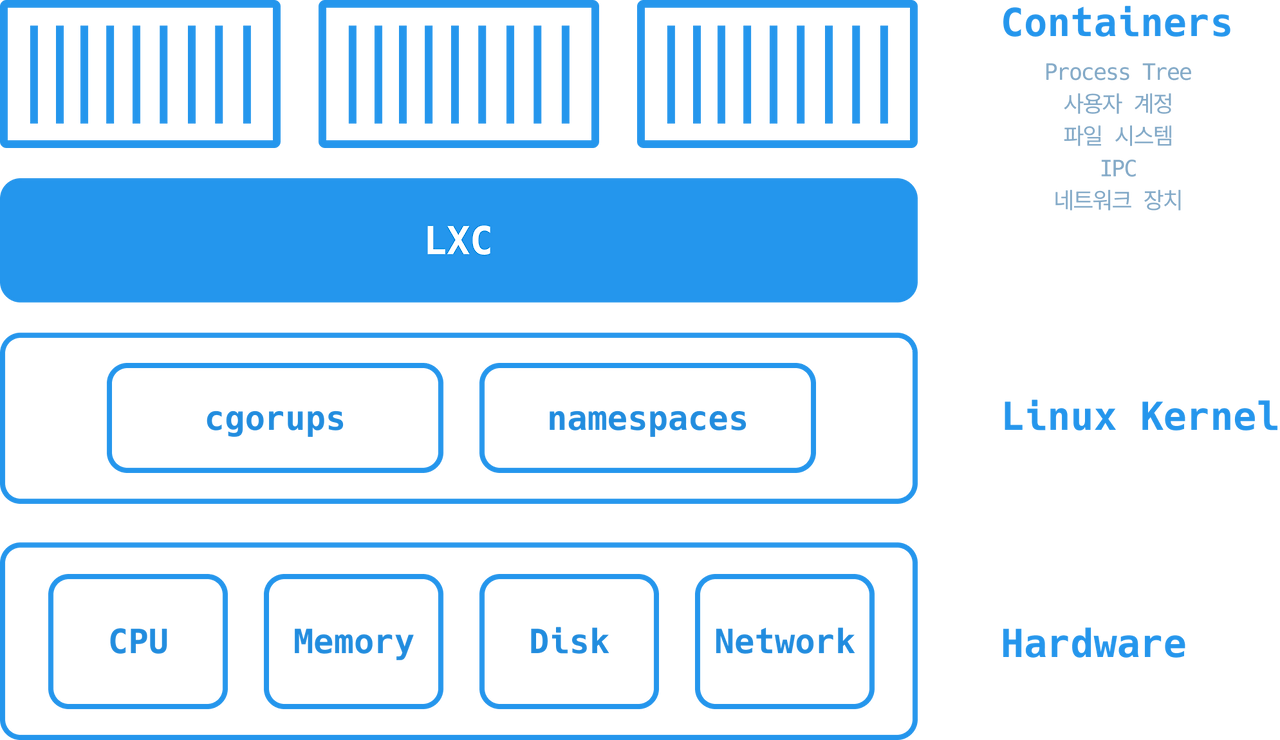
LXC architecture
LXC is an operating system-level virtualization method for running multiple isolated Linux containers on a single control host.
To explain namespace and cgroups:
- namespace: A concept where the operating system is divided and operated in isolated states.
- cgroups: A concept that limits the resources available to environments isolated by namespaces.
In any case, we can see that separated and isolated environments are created. This technology is the foundation of container technology.
However, LXC had a problem: it was specific to Linux only.
Docker aimed for multi-platform support, which posed a significant risk, and there was also the issue of a core system component relying on an external system.
Therefore, Docker Inc. developed its own tool called libcontainer to replace LXC (developed in Go and designed as a platform-agnostic tool).
As a result, starting from Docker 9.0, libcontainer replaced LXC as the default execution driver.
Libcontainer #
Libcontainer is a key component used in the current Docker Engine.
It provides namespaces, cgroups, and capabilities when creating containers, and can restrict filesystem access.
It can manage the lifecycle of a container to perform tasks after the container is created.
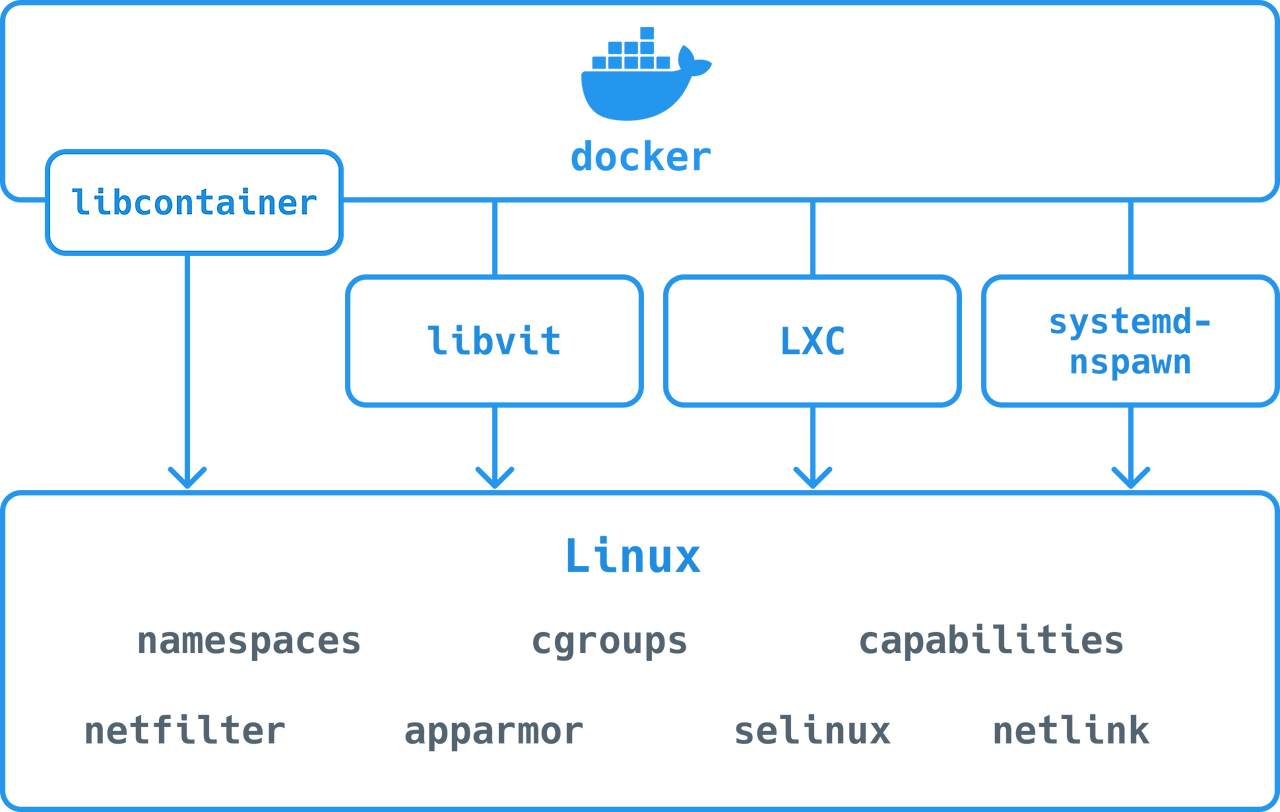
Libcontainer in Docker Engine
As seen above, libcontainer runs inside Docker, and libcontainer uses runc, its self-developed CLI wrapper.
Docker Engine #
Docker is an application that implements a Client-Server model.
The Docker Engine is the core software that builds and runs containers, providing Docker Components and services.
The Docker Engine is modularly composed of the Docker Daemon, a REST API, and a CLI that communicates with the Docker Daemon via the API. When developers refer to Docker, they usually mean the Docker Engine.
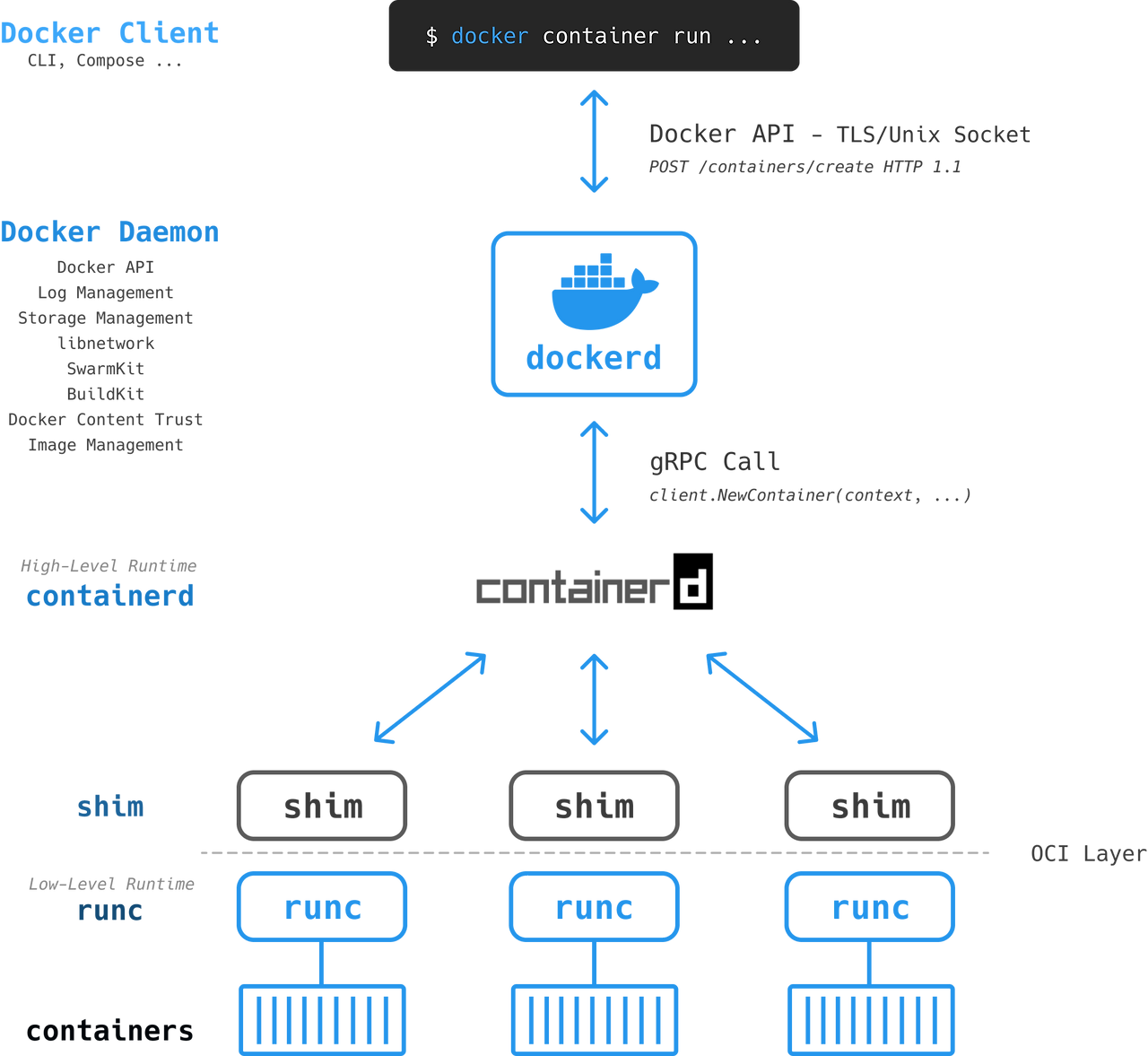
Docker Engine architecture
Heavy tasks such as building, running, and deploying containers are handled by the Docker Daemon, while the Docker Client communicates with these local or remote Docker Daemons.
Communication uses a UNIX socket (
/var/run/docker.sock) or a REST API over a network interface.
Docker Client #
The user enters a command like the following via the Docker CLI:
docker container run --name ctr1 -it alpine:latest sh
When entered into the Docker CLI, the Docker Client converts it into an appropriate API payload and sends a REST API request to the Docker Daemon. POST /continers/create HTTP/1.1
Dockerd #
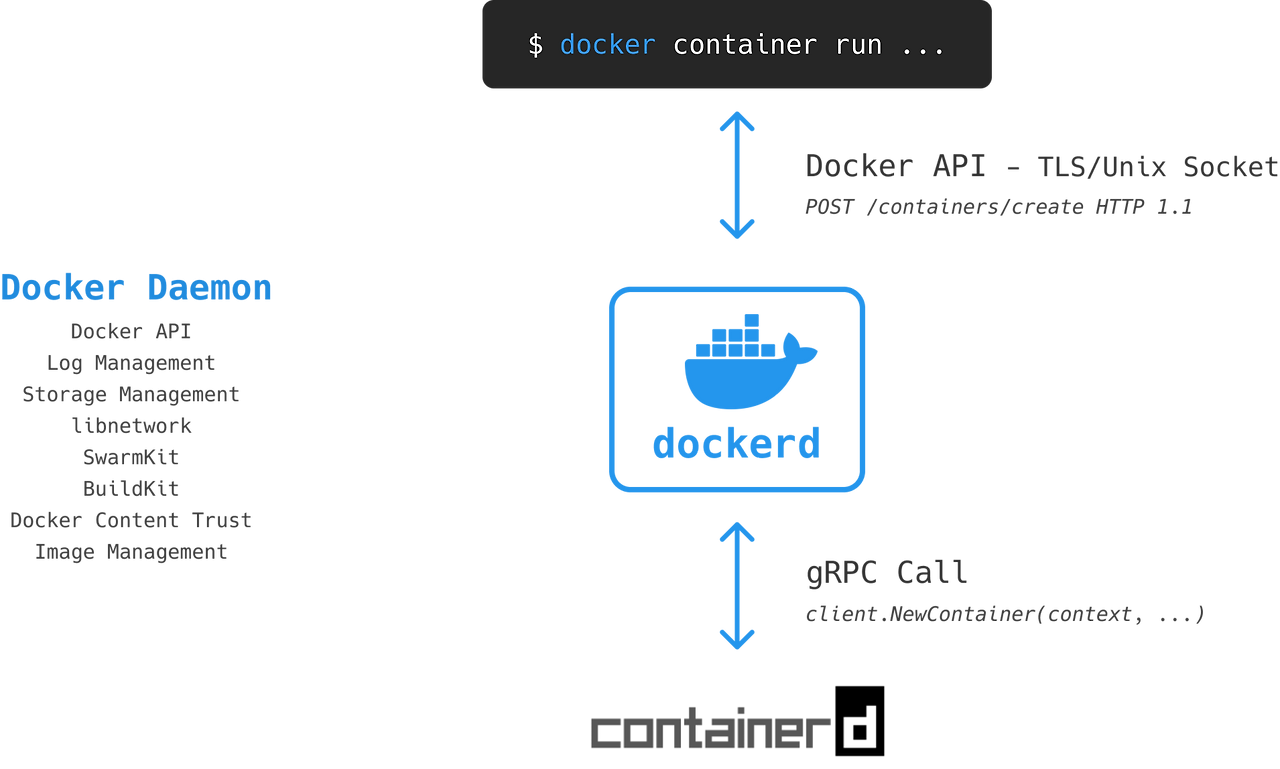
Dockerd processing
The request is delivered to dockerd via the API Unix Socket.
When starting a new container, dockerd checks for a local image and, if none exists, fetches the corresponding image from the registry repository.
It also specifies most of the container's settings, such as logging drivers, volumes, or volume drivers.
When dockerd receives a command to create a new container, it calls containerd. Dockerd communicates this call via gRPC using a CRUD-style API. client.NewContainer(context, ....
Containerd #
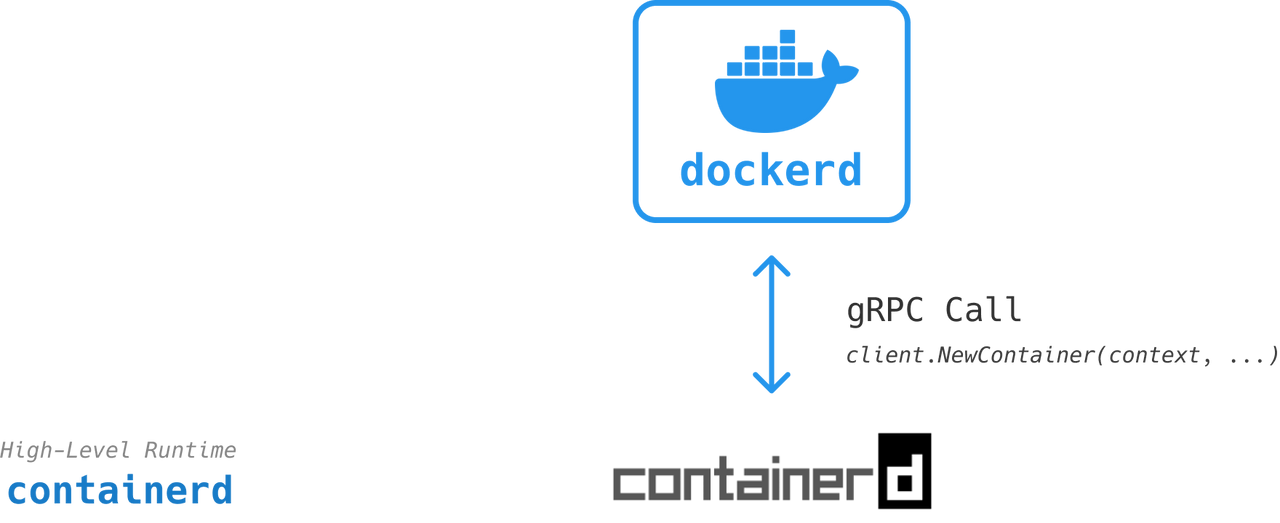
Containerd processing
Containerd cannot actually create containers itself; it creates them via runc.
It takes a Docker image, applies the container configuration, and converts it into an OCI bundle that runc can execute.
runc #
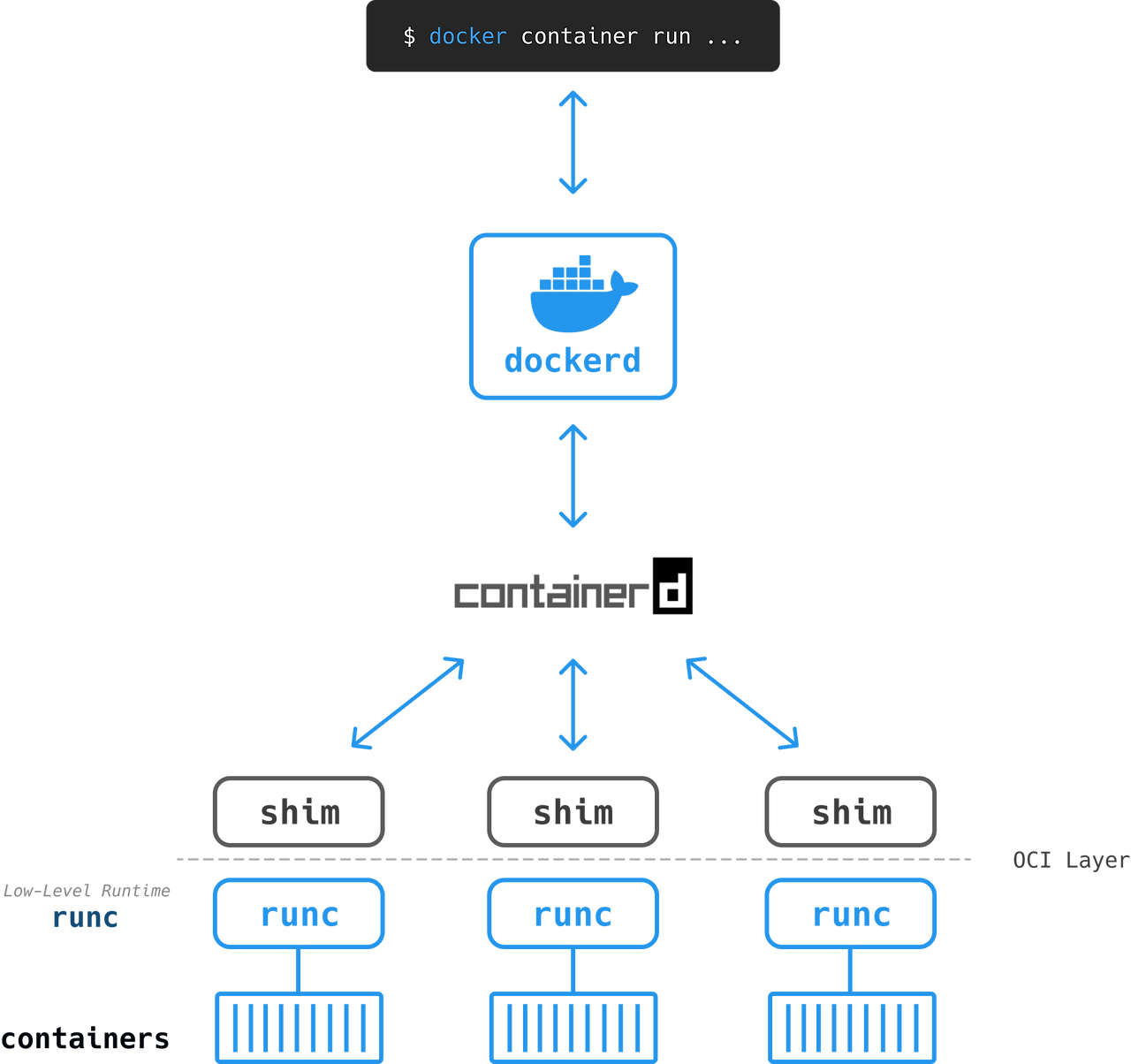
runc processing
runc (using libcontainer internally) accesses the OS kernel, bundles all components like namespaces and cgroups, and creates a new container.
shim #
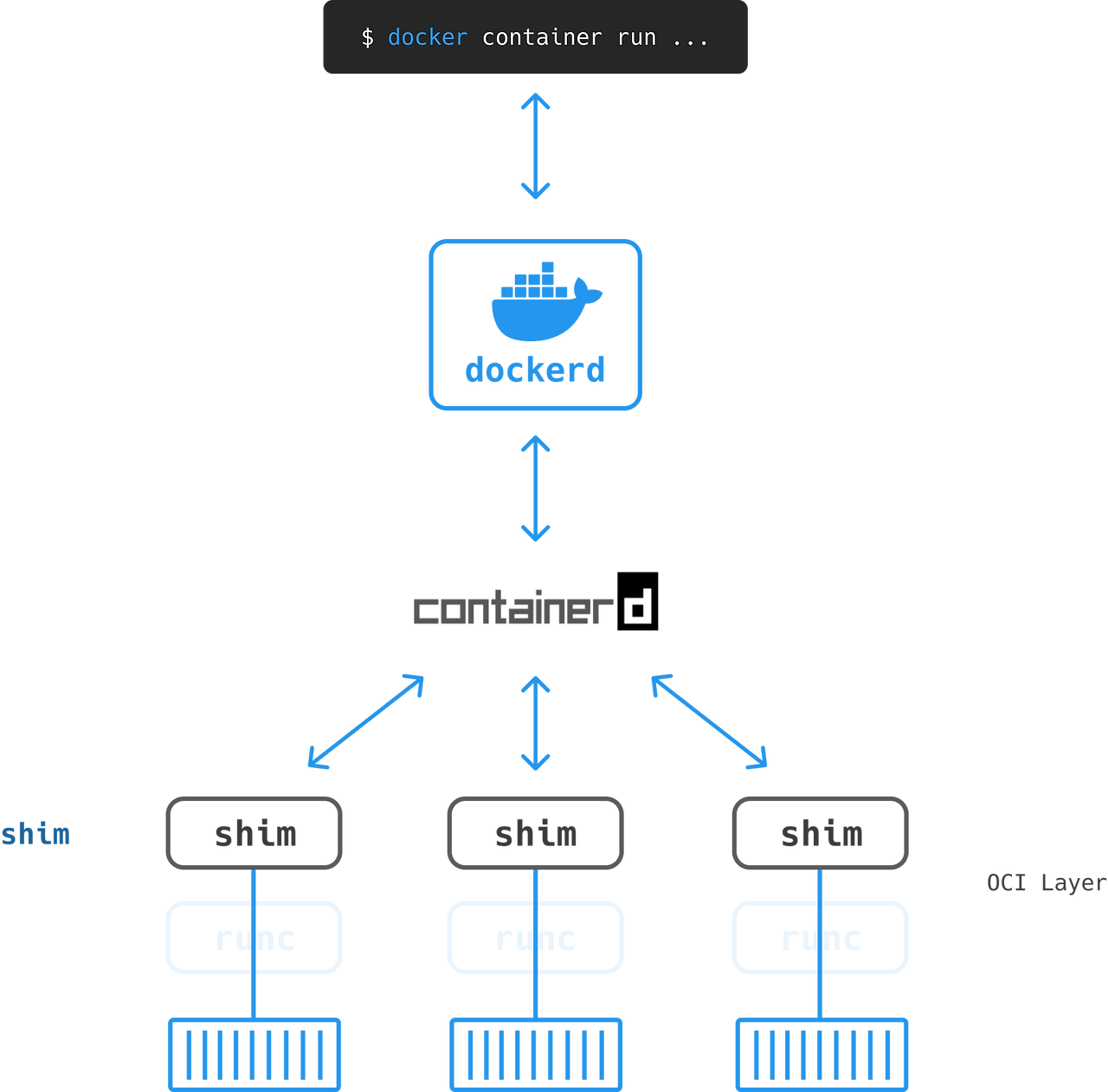
Shim processing
Next, shim is executed, and at this point, the shim process runs as a child process of runc. It then forks the container created by runc and runc exits. The docker containerd shim then becomes the new parent process and manages the container's lifecycle.
When shim forks the container from runc, it leaves minimal code in memory to manage the container's file descriptors and exit status.