Understanding the PUB/SUB (Publish/Subscribe) Architecture
There are two user clients. The users are connected to the server via WebSockets, and they have configured their subscription addresses to be the same, subscribing to no01.
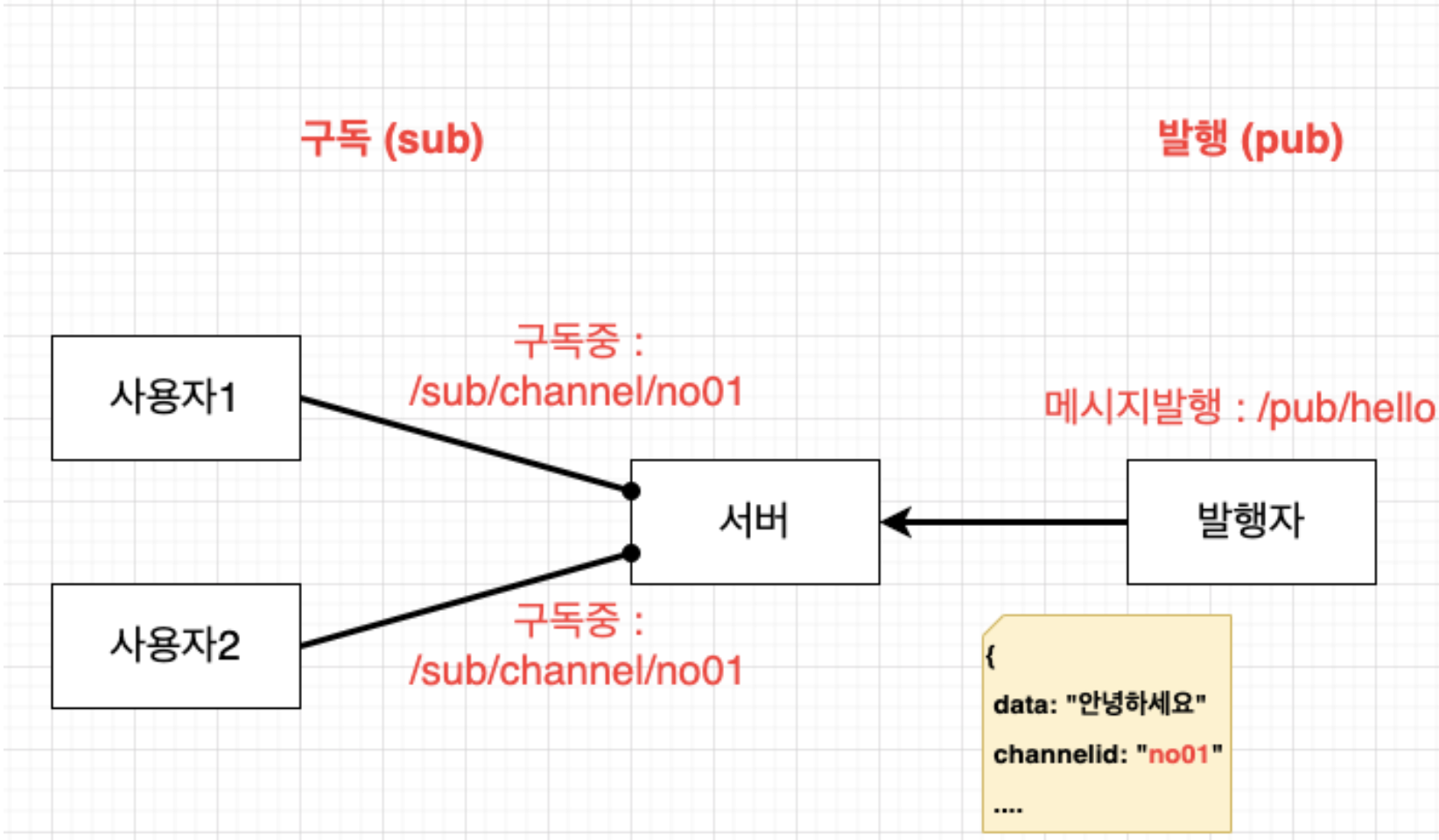 PUB/SUB Architecture Example 1
The publisher sent a message with the target set to no01. The server wants to check the publisher's message and then send it to all users (clients) subscribed to the no01 channel.
What happens to users with different subscription URLs? As shown in the figure below, if they are subscribed to a different URL, they will not receive the message.
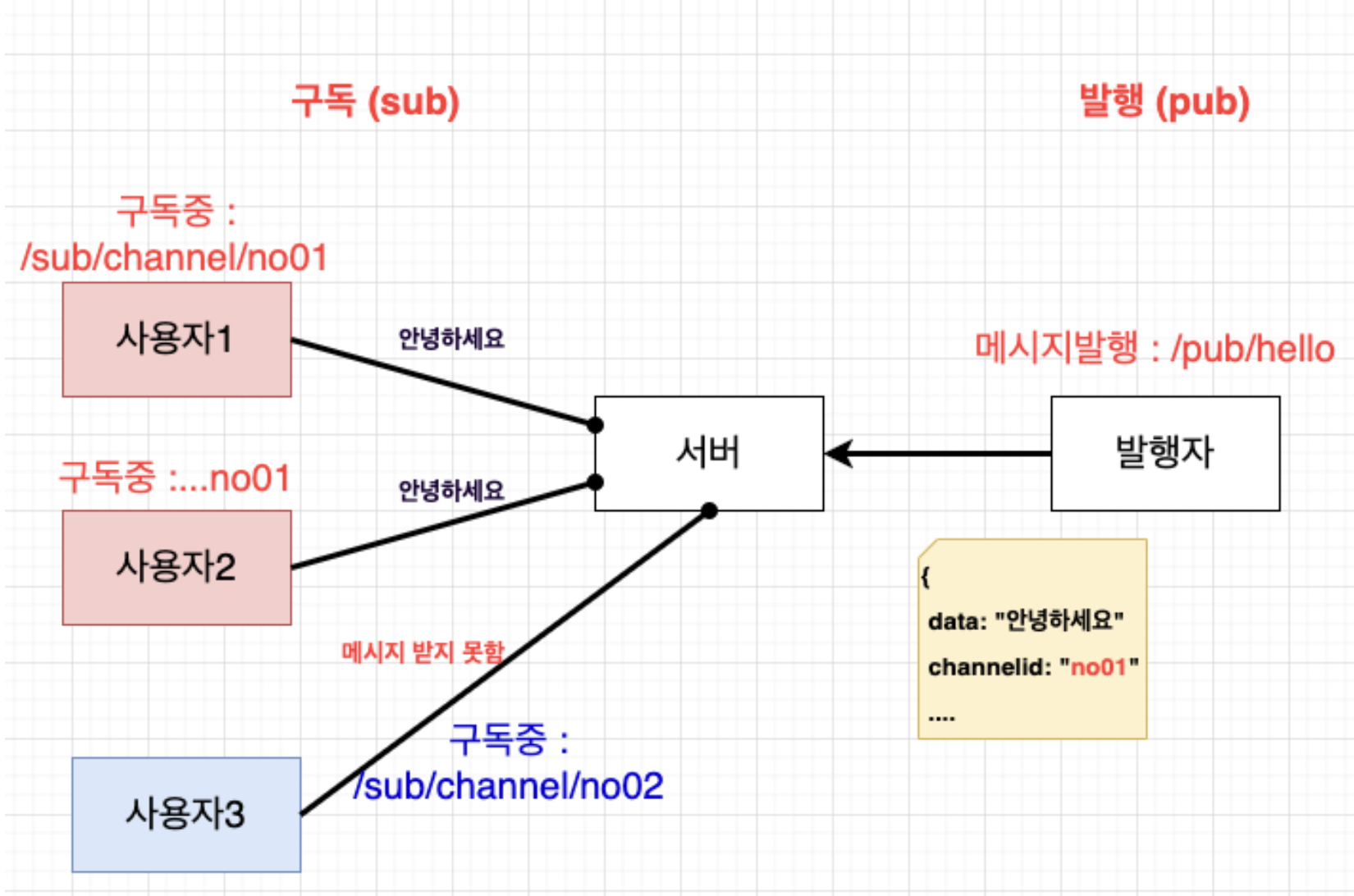 PUB/SUB Architecture Example 2
One can perform both subscription and publishing roles simultaneously.
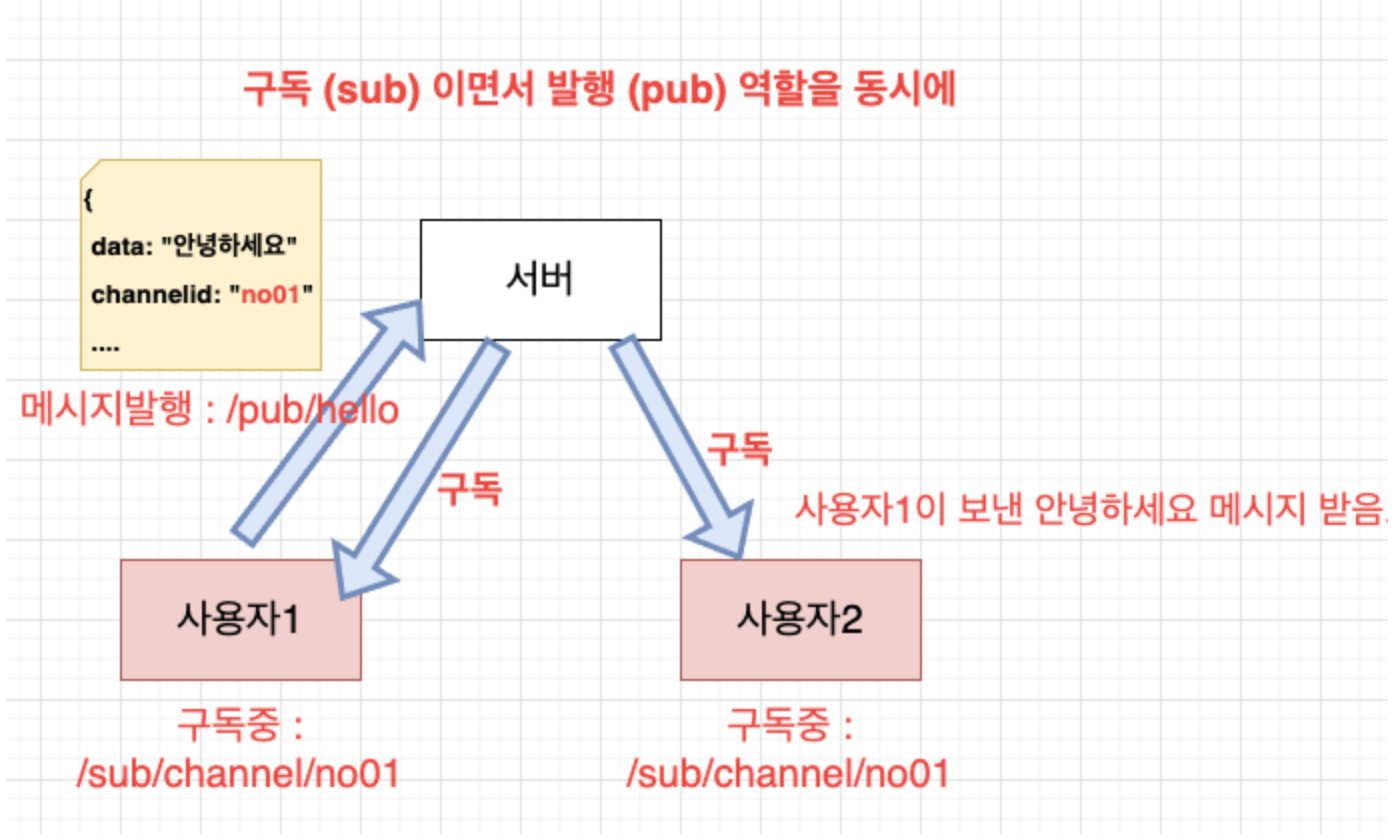 PUB/SUB Architecture Example 3
A typical example of simultaneous subscription and publishing is a chat feature. Chat messages are not just received unidirectionally; users must send and receive messages from each other.
Let's delve a bit deeper. Each subscriber has its own queue. To put it simply, you can think of it as a personal mailbox.
If you go to an apartment building, you'll see mailboxes with individual apartment numbers. Each mailbox will have an address written on it.
There used to be newspaper delivery, where if you subscribed to a newspaper, it would be placed at your doorstep every morning. If User 1 and 2 receive Chosun Ilbo, and User 3 receives Hankyoreh, you can think of Chosun Ilbo as subscription channel no01 and Hankyoreh as subscription channel no02. Each person should only receive the newspaper they subscribed to, and each will have their own separate mailbox.
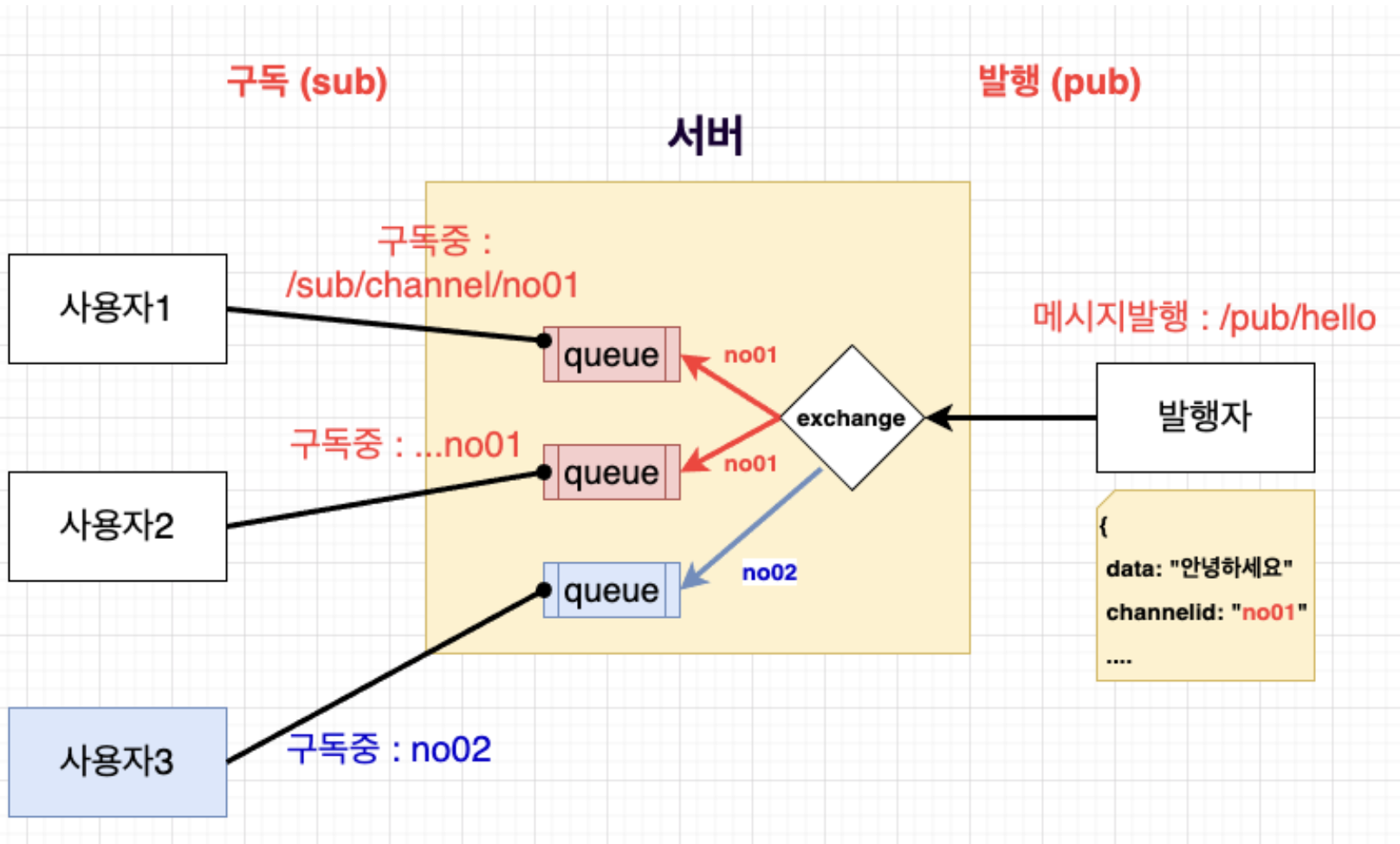 PUB/SUB Architecture Example 4
In any case, the publisher must specify and deliver the channel ID. Only then will the message be sent to users subscribed to that channel.
If there are no subscribers corresponding to the channel ID, the message will not be sent.