Network Web Communication Flow
Let's explore the flow of communication when you enter a URL in the address bar.
Before looking at the web communication flow, there are some concepts you need to understand.
IP Address #
A special number used by devices in a computer network to recognize and communicate with each other
-> The currently used IPv4 consists of 32-bit numbers like 128.0.0.1.
Domain Name #
An address that represents an IP address in text form
-> DNS: A database that contains mapping information between IP addresses and domain names
How It Works #
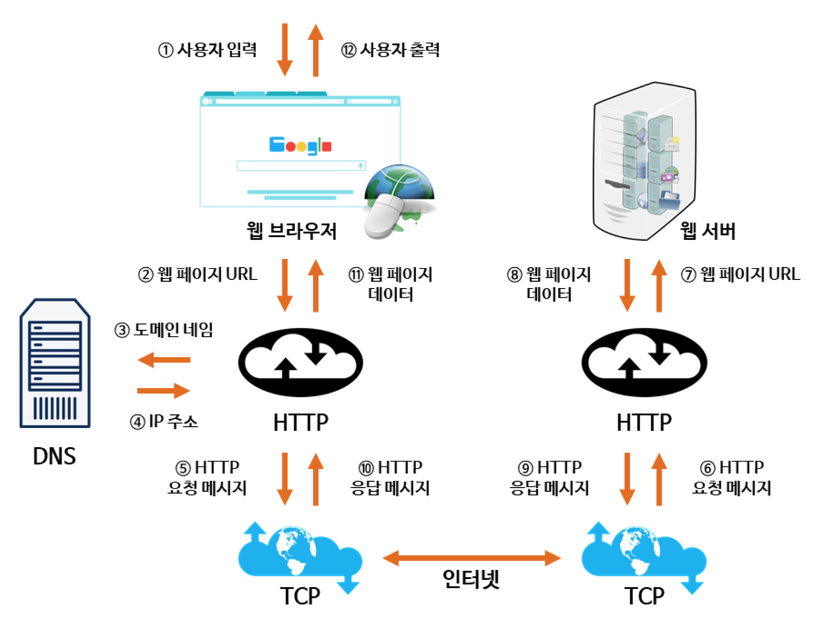
- The user enters a domain name in the browser.
- The DNS server searches for the domain name entered by the user and finds the mapped IP address. It returns this along with the URL information entered by the user.
- The IP address uses the HTTP protocol to create an HTTP request message.
- The generated HTTP request message is transmitted via the internet to the computer (server) at that IP address using the TCP protocol.
- The server approves the client's request and sends a response message.
- The received HTTP response message is converted into web page data using the HTTP protocol, and the user can view it through the web browser's output.
Finding the DNS Server Address #
DHCP #
- Dynamic Host Configuration Protocol
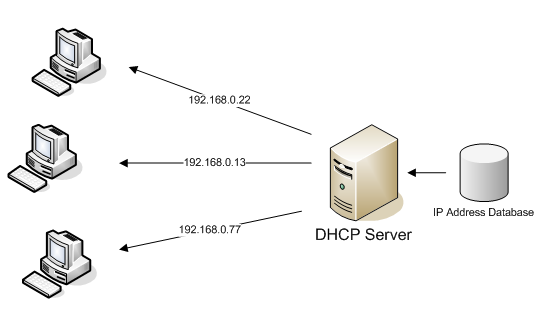
- An application layer protocol that automatically provides the host's IP address and TCP/IP settings to the client
The user receives their IP address, the IP address of the nearest router, and the address of the nearest DNS server from the DHCP server.
ARP #
- Address Resolution Protocol
- A protocol used to bind IP addresses to physical network addresses on a network
- Converts the router's IP address obtained via DHCP to a MAC address
Receiving IP Information from the DNS Server #
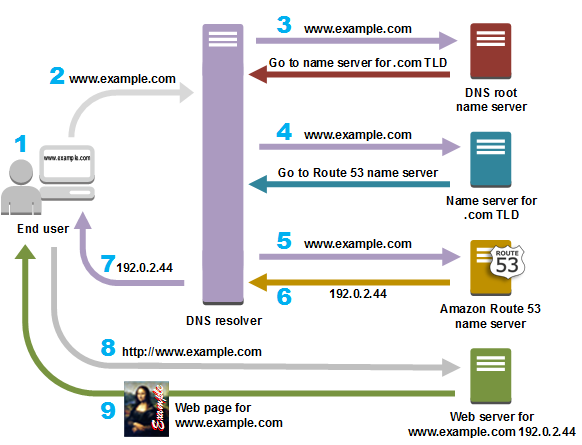
- Send a DNS Query (www.example.com) to the DNS server : In Korea, there are designated DNS servers for each telecommunications company.
- The DNS server queries the root name server with the DNS Query. : The root name server returns the IP address of .com.
- Query the .com name server with the DNS query. : The .com name server returns the IP address of example.com.
- Query the example.com name server with the DNS query. : It returns the IP address of www.example.com.
DNS servers form a hierarchical structure, and there are only 13 DNS servers worldwide that handle the top-level domains (.com, .kr, etc.).
Accessing the Web Server #
Through the above process, we have obtained the IP address of the server we want to access.
- Open and connect a TCP socket for the HTTP Request.
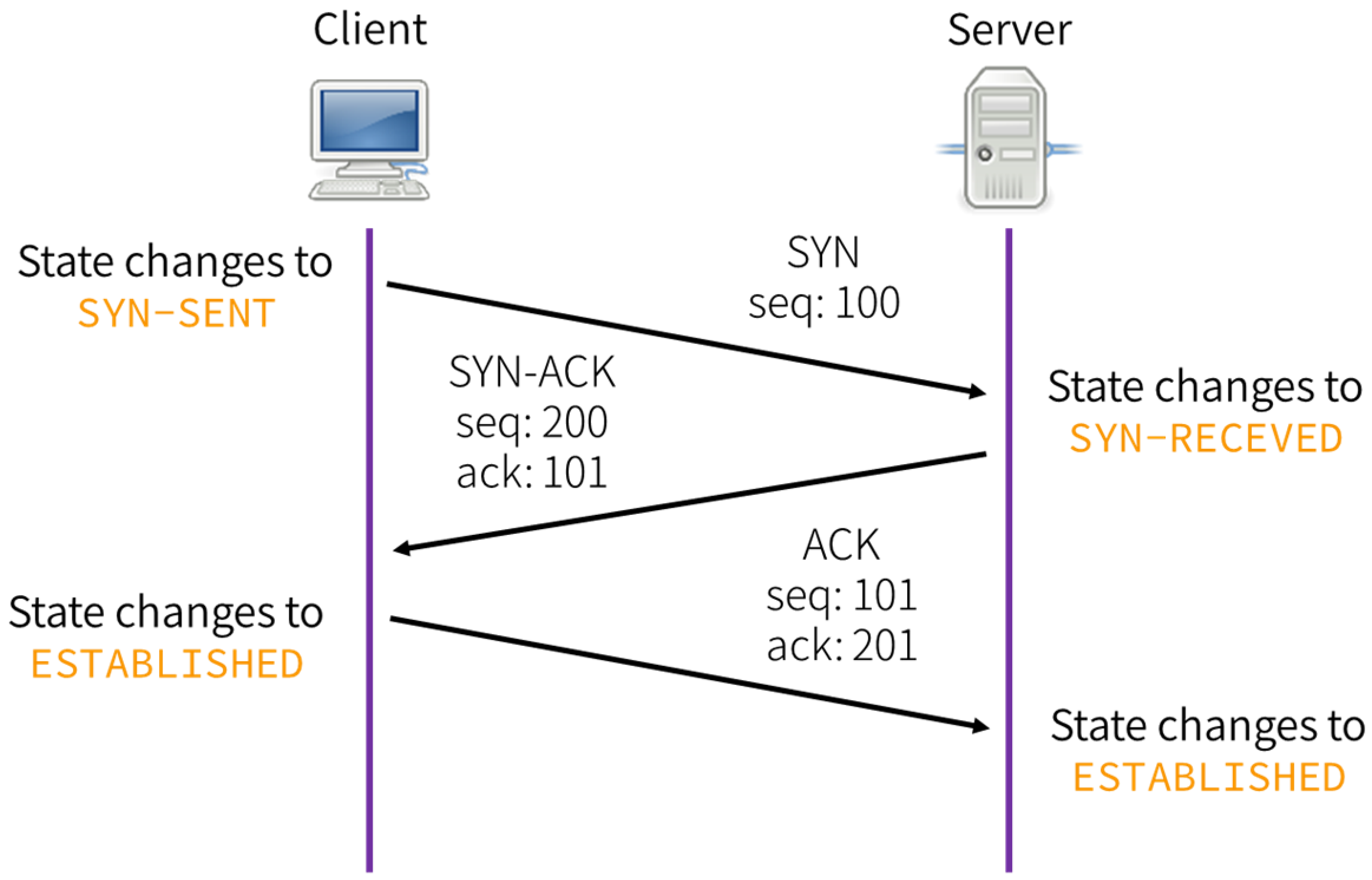
- If the TCP connection is successful, the HTTP Request is sent through the TCP socket
- The web page information is returned as a response