Web Cache
Cache #
In computer science, a cache refers to a temporary storage that holds pre-copied data or values.
Similarly, on the web, for identical requests, data can be quickly retrieved by storing it in a web cache instead of re-downloading it.
Beyond private caches stored on individual computers, for data commonly displayed to multiple users, a separate cache can be stored on a proxy server to enhance user experience.
Without Cache #
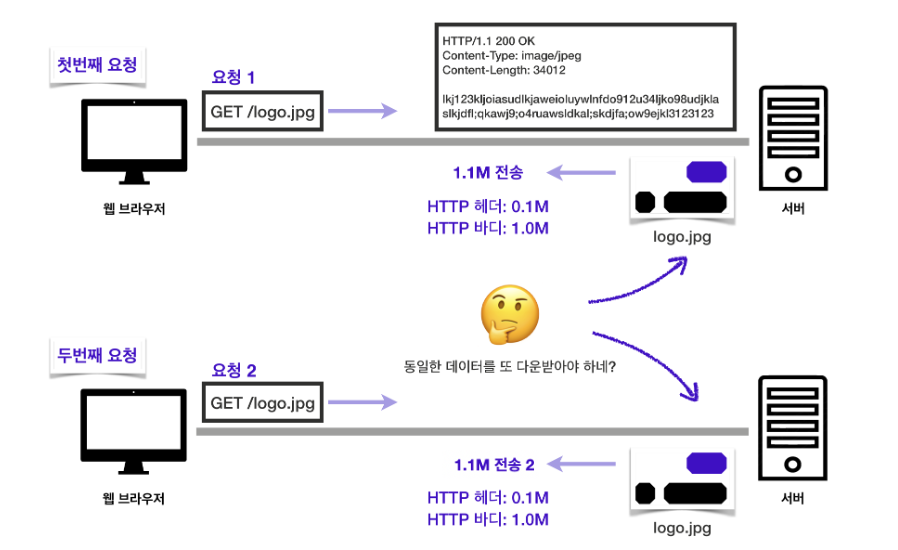
Even if the same image is requested again, it sends the same 1.1M response as the first time. In this case:
- Even if the
logo.jpgdata hasn't changed, the data must be downloaded anew continuously. - The internet network is very slow and expensive.
- Browser loading speed becomes slow.
- Provides a slow user experience.
-> Is there no way for the browser to store this?
Applying Cache #
By pre-copying data into a cache, data can be accessed at a faster speed without computation or access time.
When storing a cache in the browser, the cache-control attribute in the header can be used to specify the cache's validity period.
It is used when accessing the original data takes a long time compared to the cache access time, or when you want to save time recalculating values.
First Request #
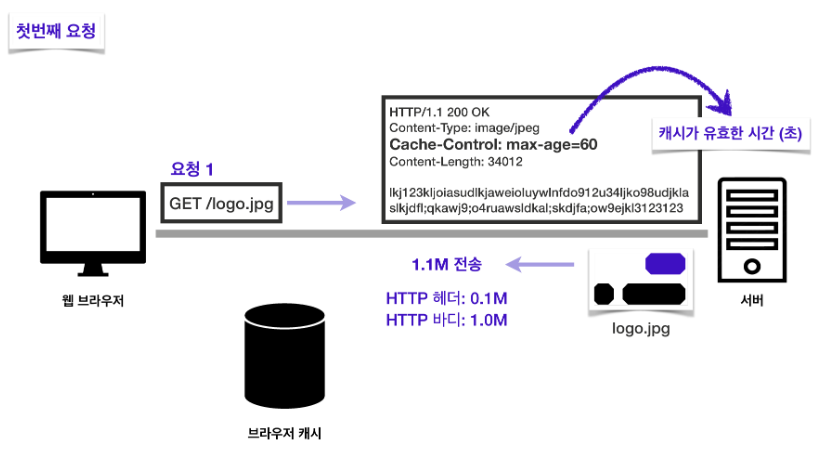
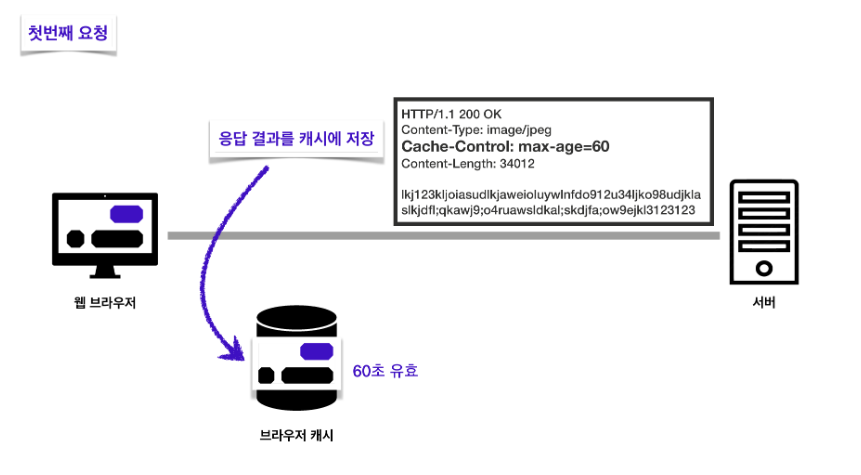
Upon receiving the response, the browser cache stores the response result, which is valid for 60 seconds.
Cache Application - When Cache Time Expires #
Second Request #
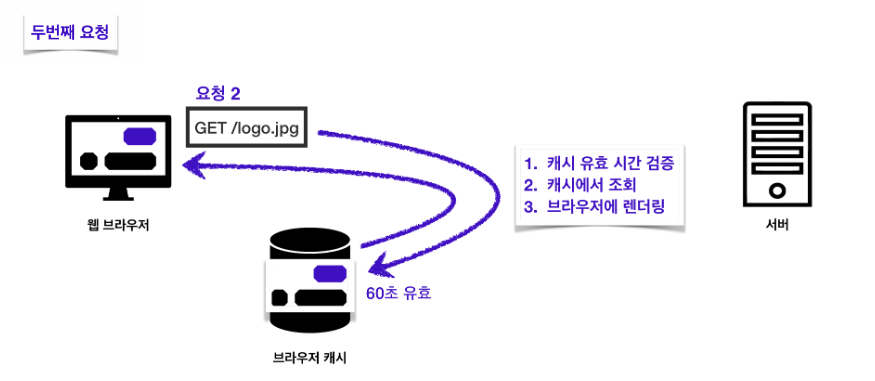
In the second request, the cache is checked first.
- If the cache exists and is still valid (60 seconds have not passed), data is retrieved from that cache.
Reasons to use cache #
- Thanks to the cache, the network does not need to be used during the cache's active period.
- Reduces expensive network usage.
- Browser loading speed is very fast.
- Provides a fast user experience.
Third Request #
But what if the cache's validity period expires?
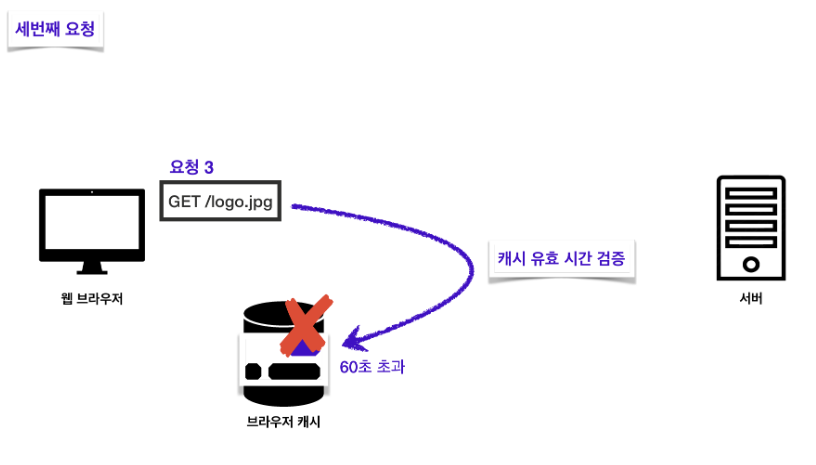
In this case, a request is made to the server again, and an image of logo.jpg valid for 60 seconds is received in response.
At this point, a network download occurs again.
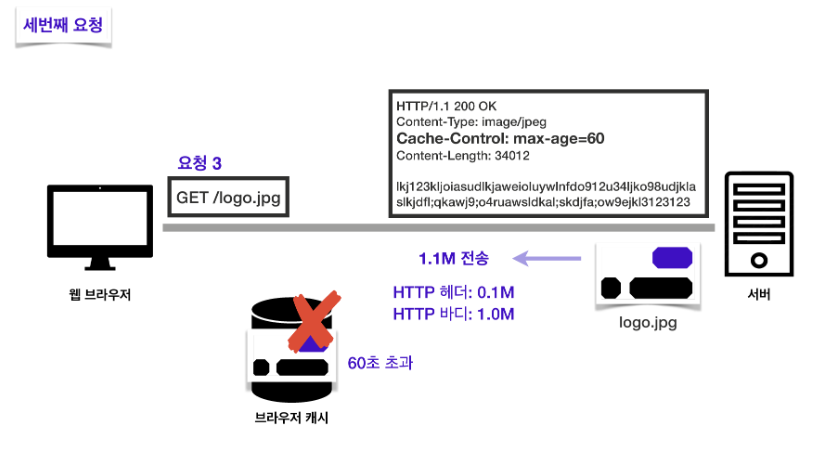
That is, when the cache's validity period expires, data is re-queried from the server, and the cache is updated. At this point, a network download occurs again.
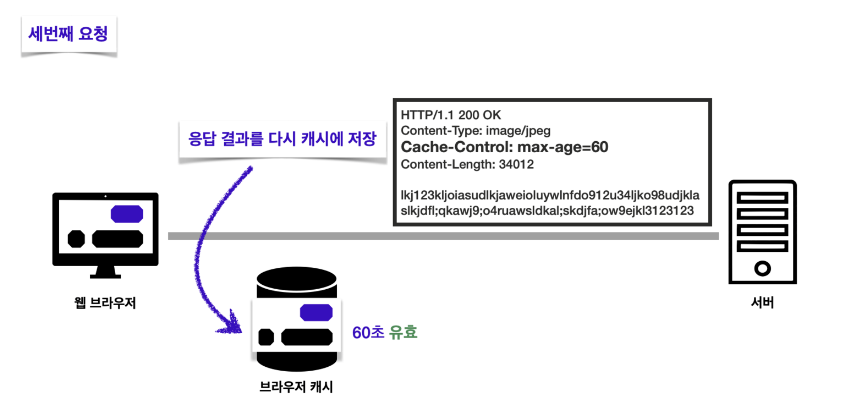
When the browser renders the response result, the browser cache deletes the existing cache and updates the data with the new cache.
During this process, the cache's validity period is reset.